

Tags
Tag Management
Tags label voter records. To use a tag in a group, select the Tags filter when you build the group.
Tags shared by a management firm
If your organization is linked to a management firm, the firm's custom tags appear on your Tags page alongside your organization's tags. Use the search box to find a tag. The Managed By column shows the firm that owns it.
You do not need to turn on Show RNC tags to see a firm's custom tags, even if a tag name starts with RNC. That switch controls tags supplied through the RNC data feed.
Shared tags remain under the firm's control. To change a firm-owned tag or its members, contact the firm. If your organization is no longer linked to the firm, its tags are no longer available through that link.
Delete an organization-owned tag
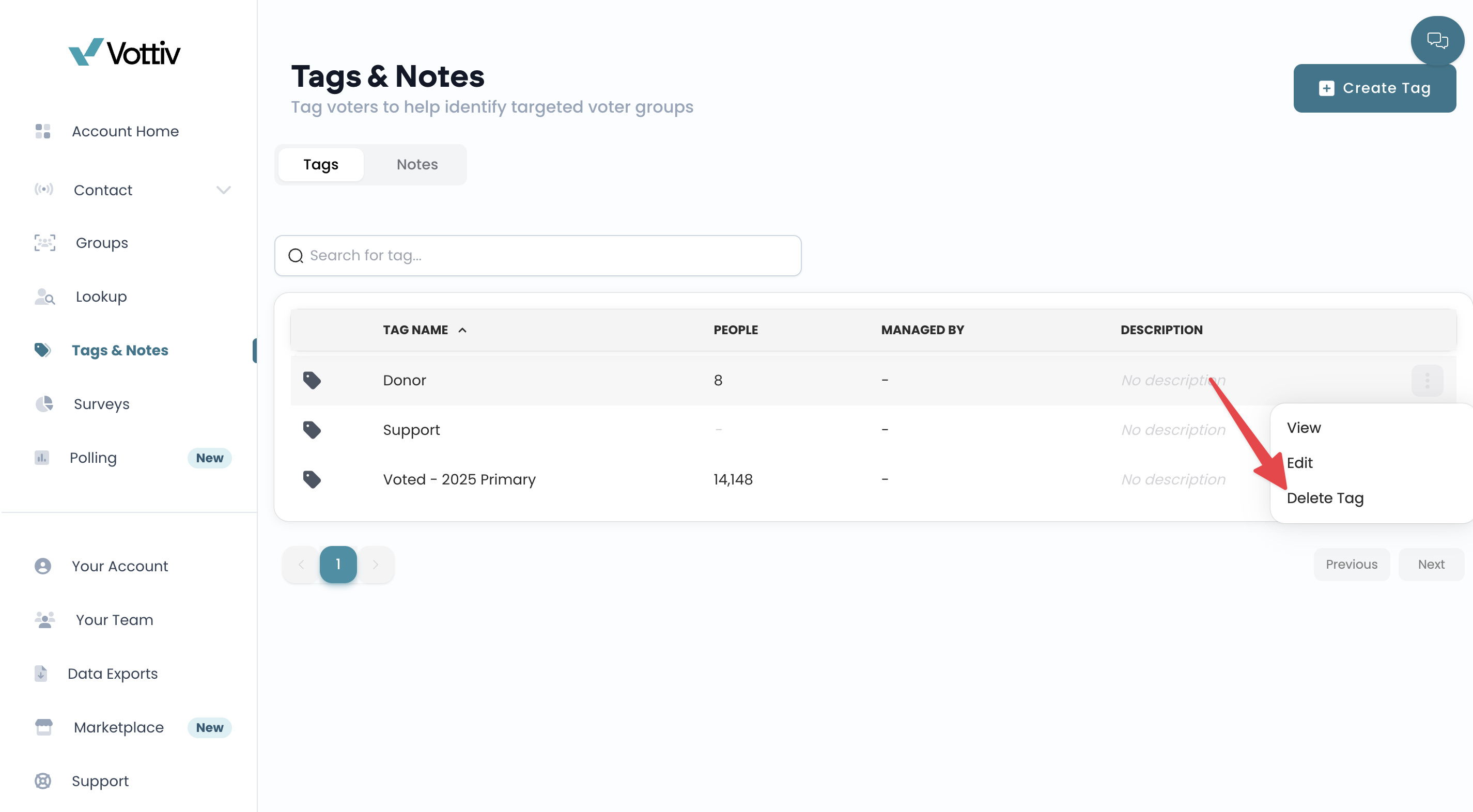
Open the Tags page, select the menu on the right side of the tag's row, then select Delete Tag and confirm.
Was this article helpful?