

Data Center
Introduction to Vottiv Data Center
Access, filter, and export voter data with speed and precision.
What Is the Vottiv Data Center?
The Vottiv Data Center is the foundation of every Vottiv account. It gives campaigns and organizations instant access to powerful voter data — with lightning-fast filtering, list building, and exports.
Whether you’re researching your district or building targeted lists for outreach, the Data Center is your command center.
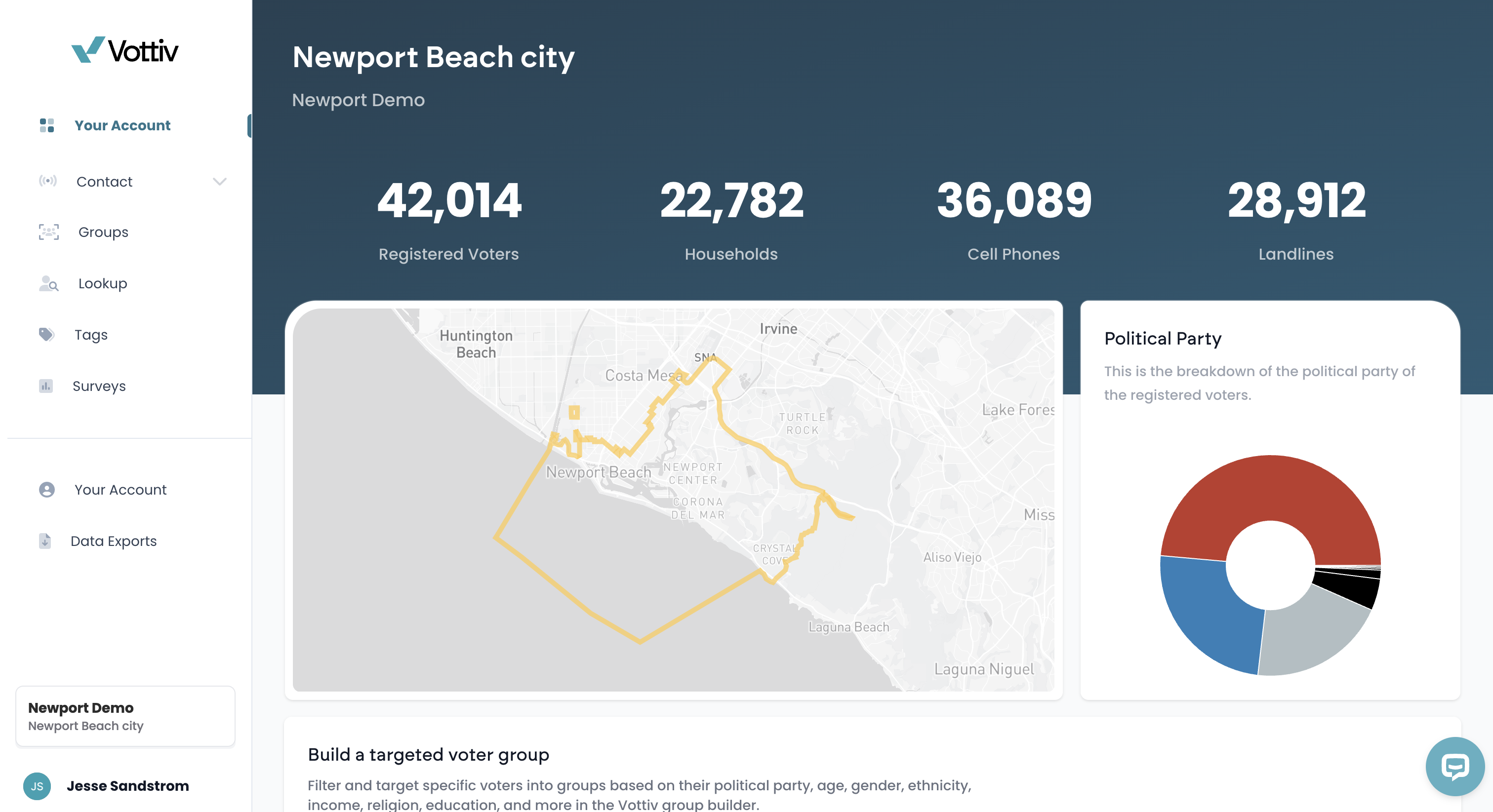
View of the main page fo a Data Center account.
What Can You Do in the Data Center?
🔍 Search All of the Voters in Your District Instantly
Our real-time lookup tool can return voter records in under a second — even for massive files like California’s 23 million+ voters. You can search by name, address, or even use the Notes Search field to find voters based on specific words in their notes (e.g., "volunteer", "call back"). The search is smart—it handles partial words and finds related word forms automatically.A note on search results: The search returns partial-name matches, but exact matches are always ranked first. If you search "John Williams," the voter by that exact name will appear at the top of your results — even if the list shows other partial matches below. If a voter doesn't appear on the first page at all, they are likely either not registered to vote or not registered in a county covered by your account.
👤 Voter Lookup & Profiles
Click into any voter to see a full individual profile, including:Demographic data (age, gender, party, etc.)
Voting history (past elections voted in)
Contact history (canvassing, texts, calls)
Notes and tags — leave CRM-style notes and organize your voter universe with custom labels
Record last updated date — a timestamp showing when the voter’s record was last refreshed
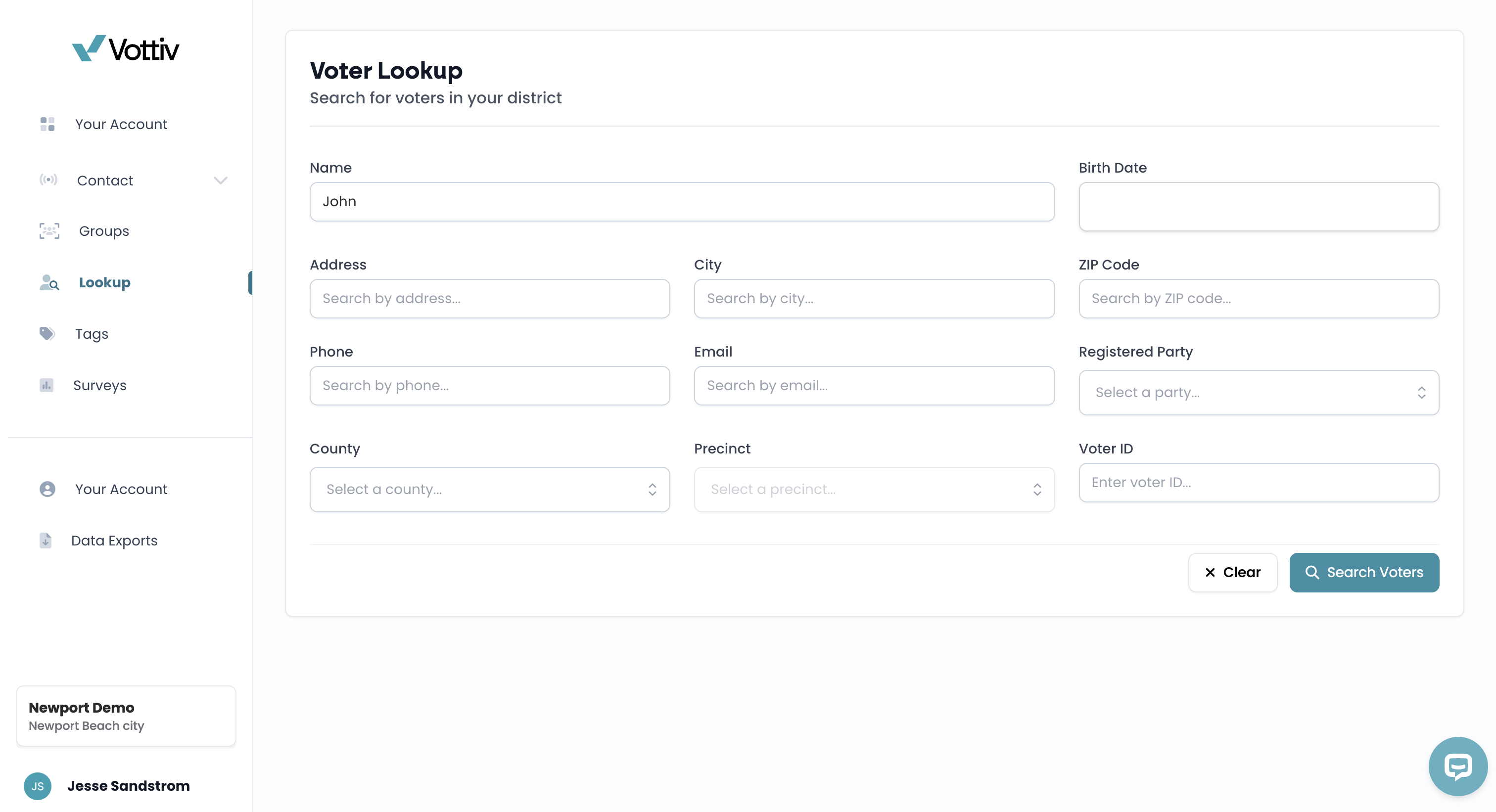
You can search any registered voter in your district by name, address or any other field above.
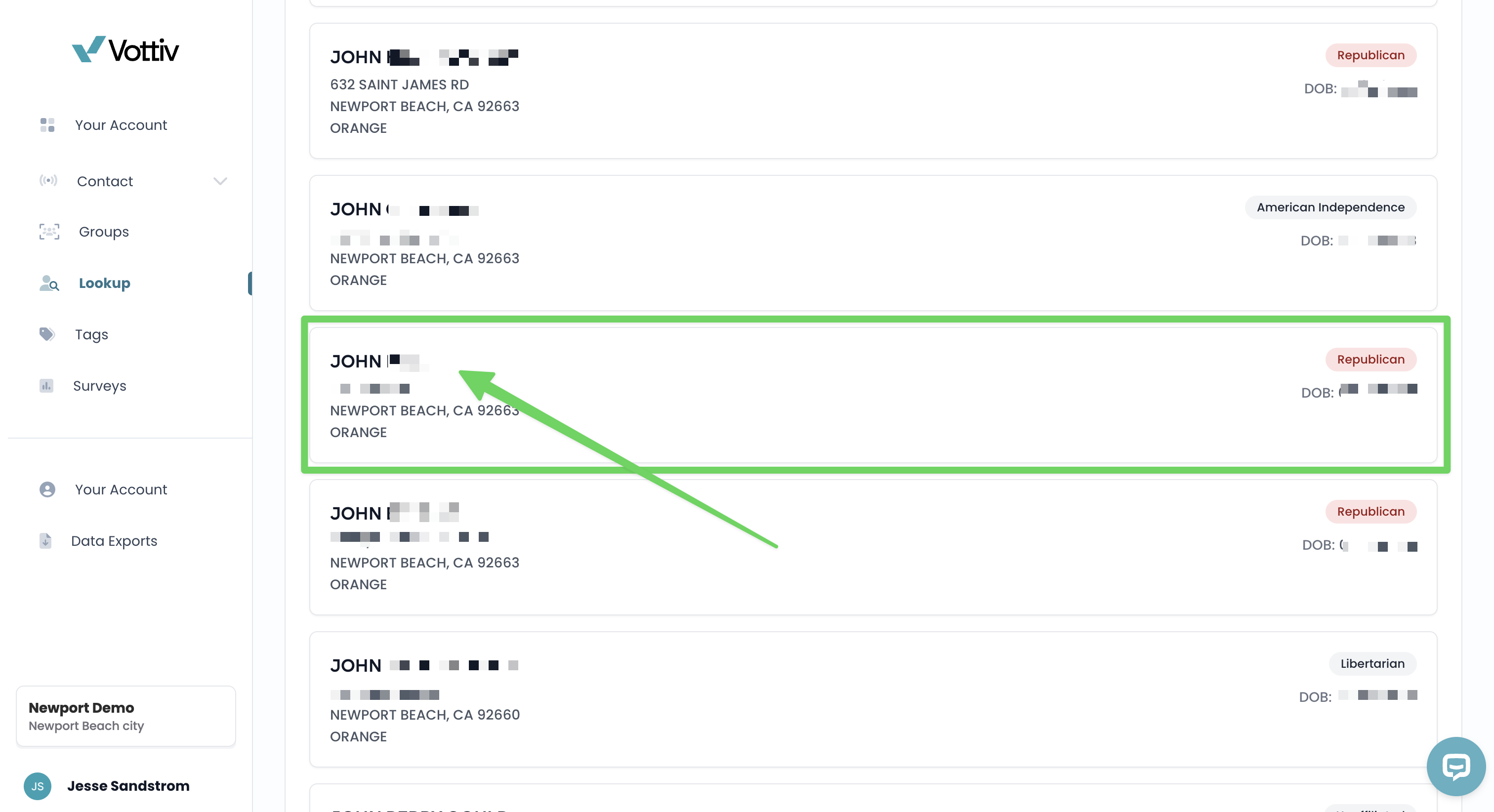
Once you find the specific voter you are looking for, you can click on their account to pull up their information.
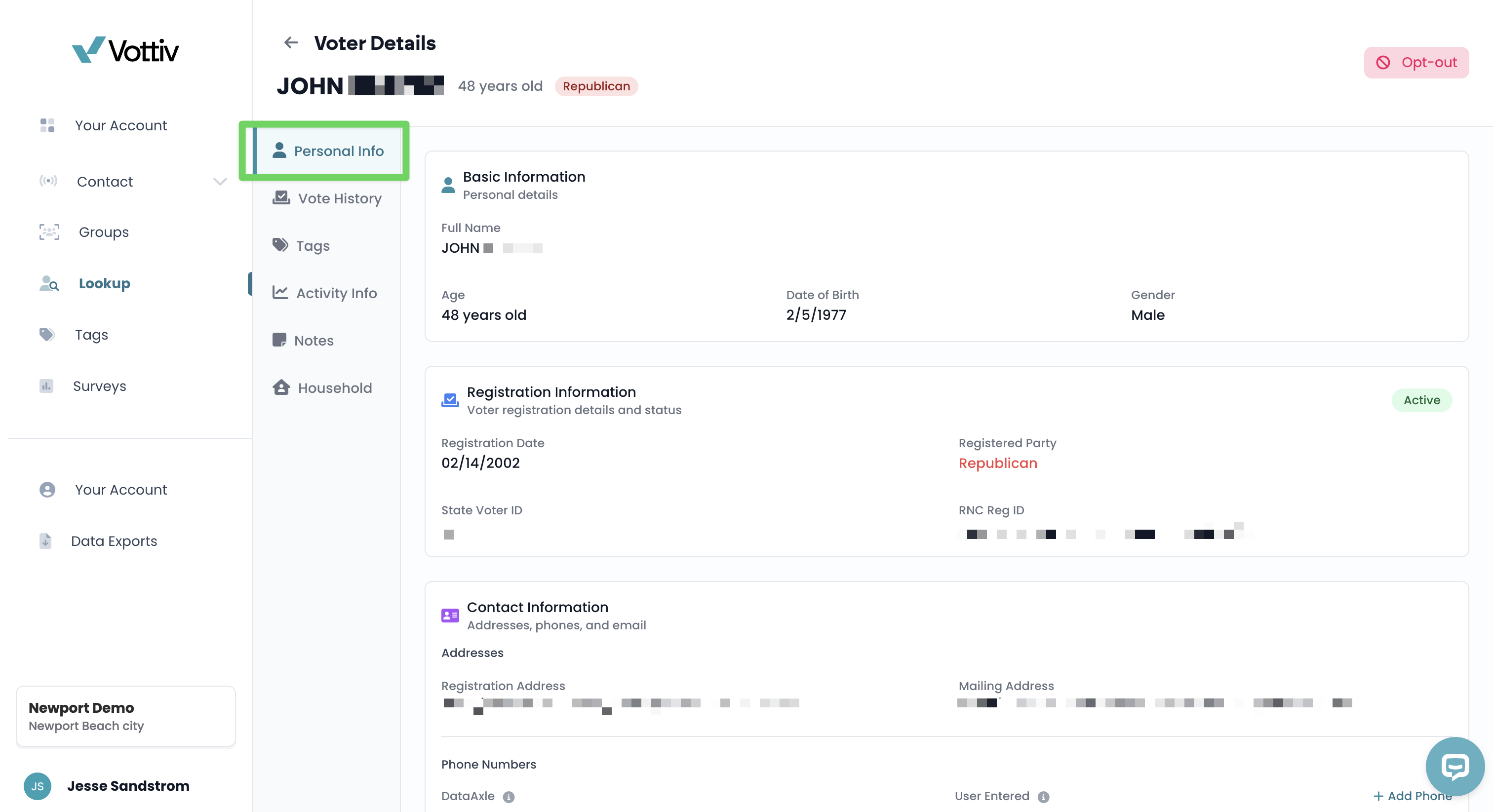
First tab has all their person info. Including: name, age, DOB, voter registration date, address and more!
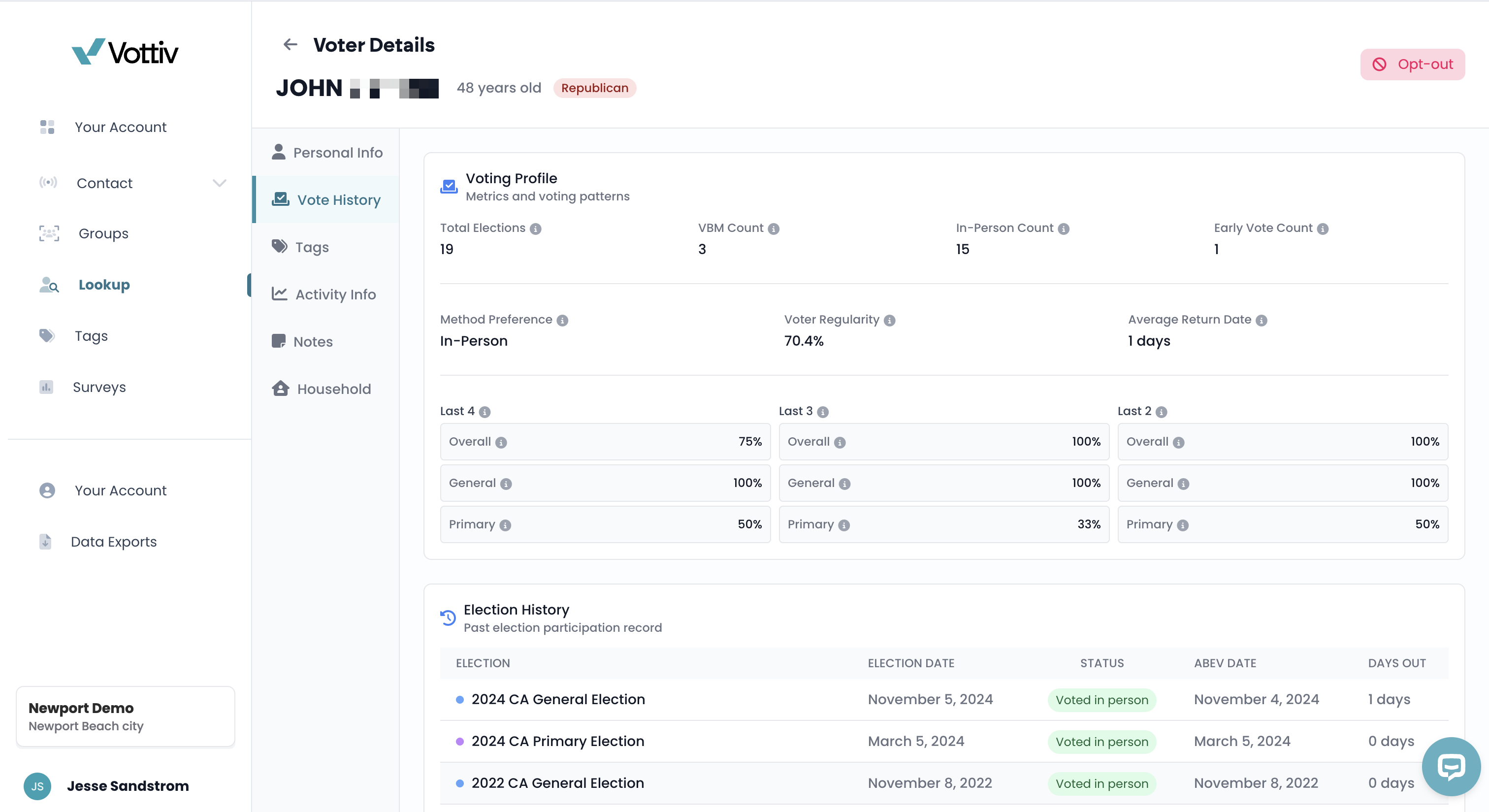
Next tab is the Vote History. It gives an overview of the individuals.
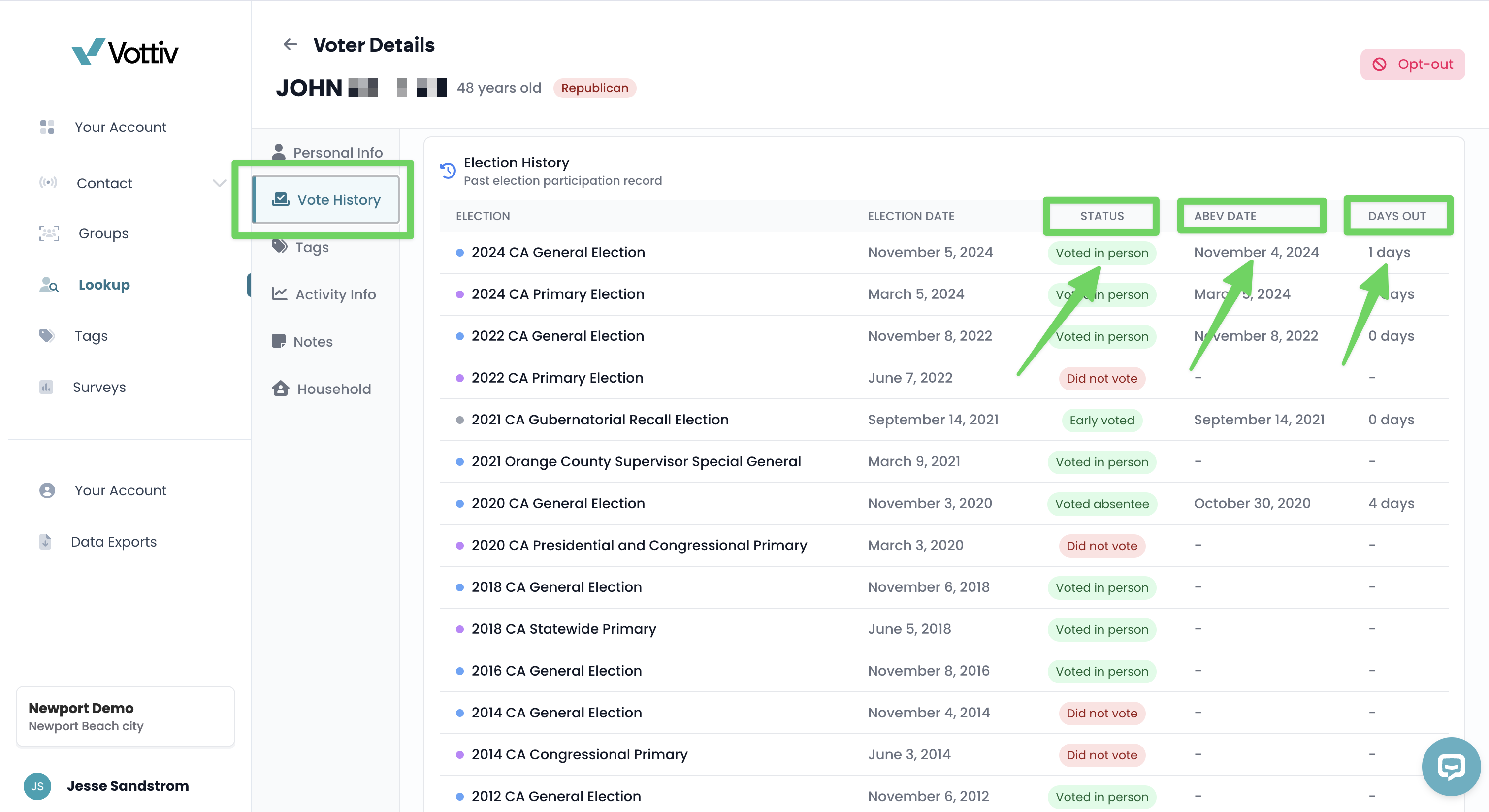
You can scroll down on the Vote History tab and see the voters turnout for every election.
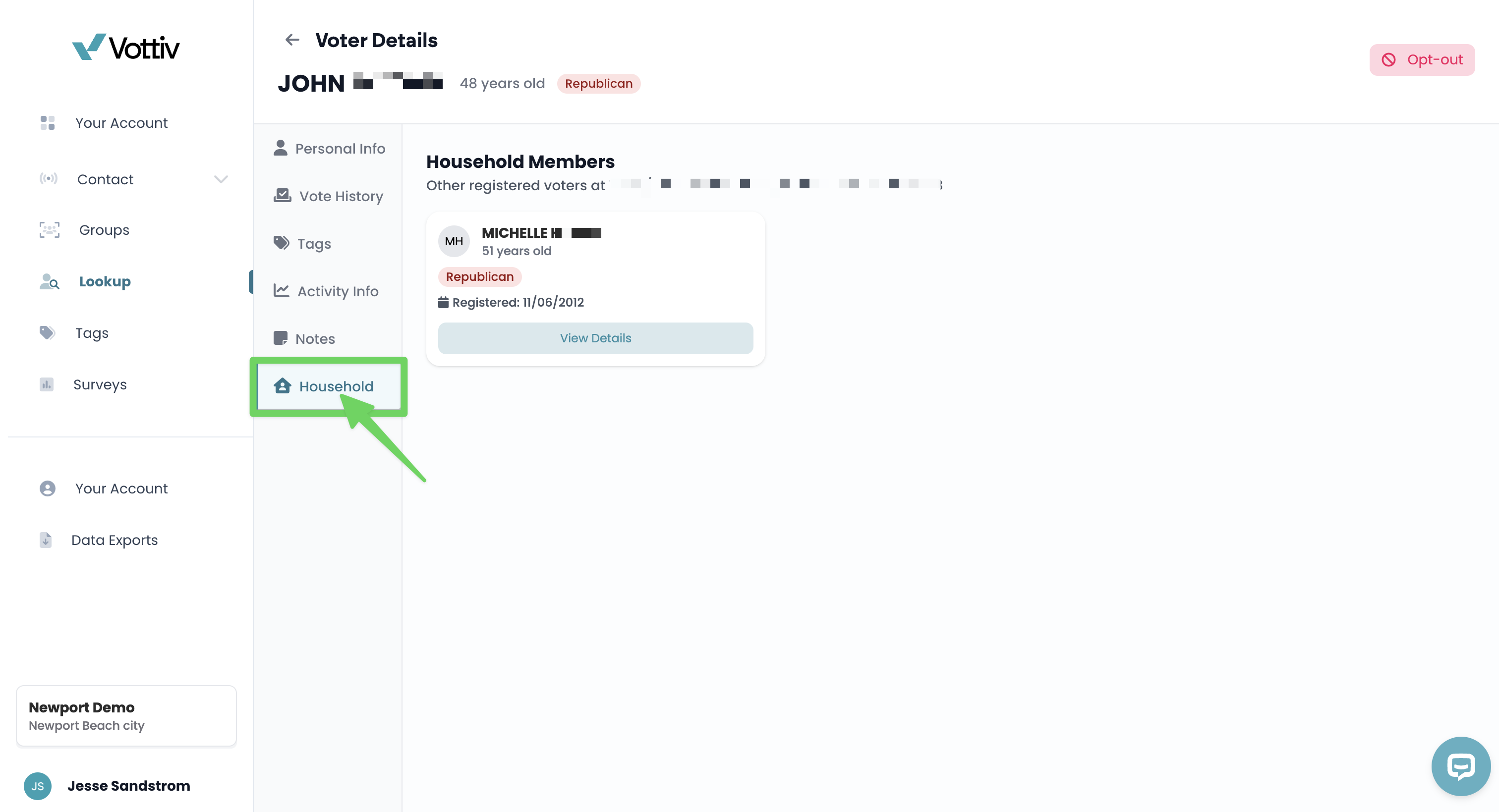
There are also tabs for adding tags to a voter or viewing any tags they have been assigned. The Activity Info tab will show any time the voter has been contacted by your campaign, when and how. The Notes tab where you can add free-form notes. Lastly, the household tab shown above will show any other voter that lives at the same household as the individul you're looking up. Below the voter’s name, age, and party you will also see a small timestamp reading “Record last updated MM/DD/YYYY” that tells you how current the data is.
🎯 Filter & Segment Voter Lists
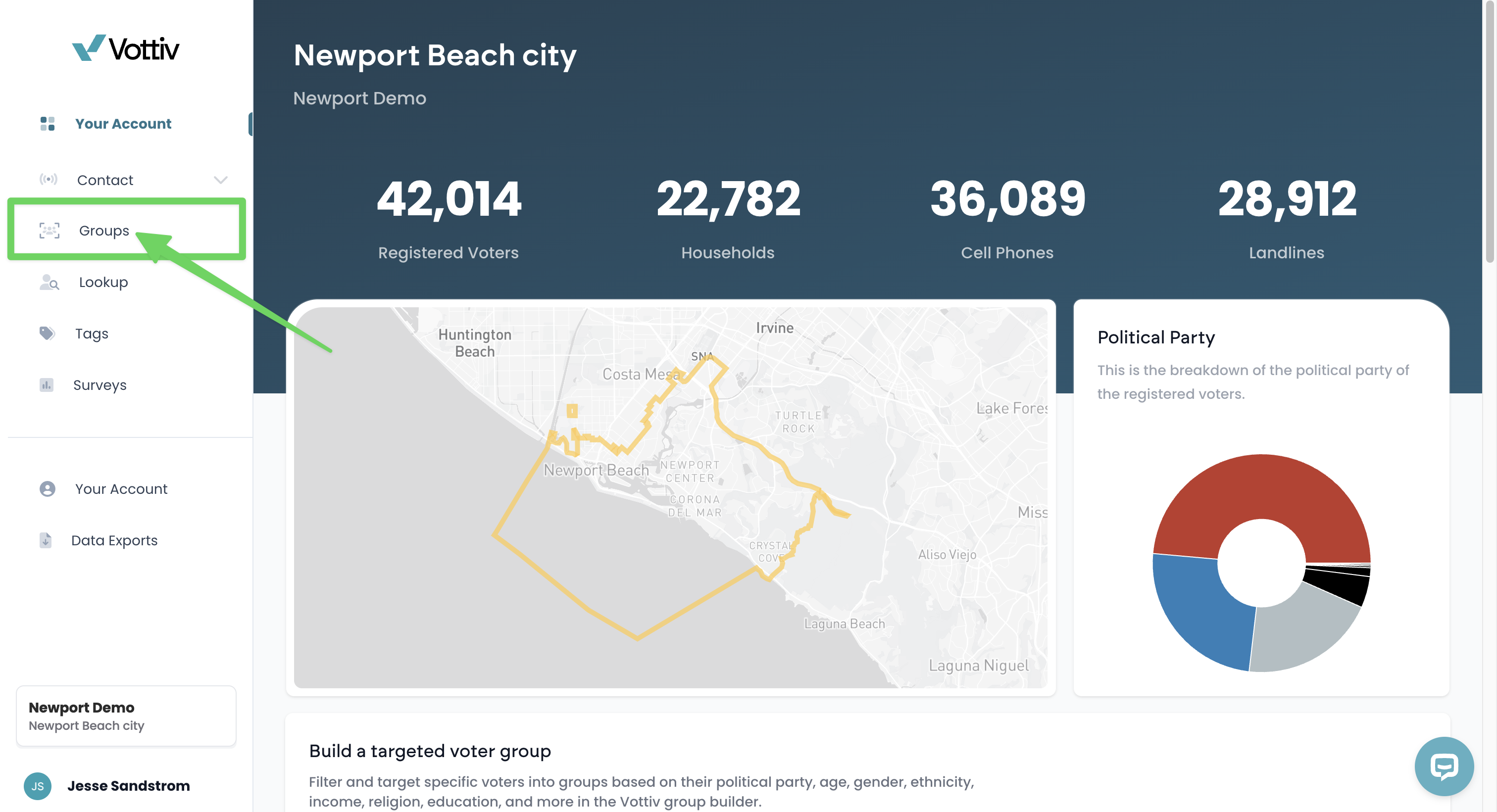
Use the Groups tab to view existing voter lists or create a new voter group. From the front page, you can select 'Groups' tab to access the voter lists to create a voter group.
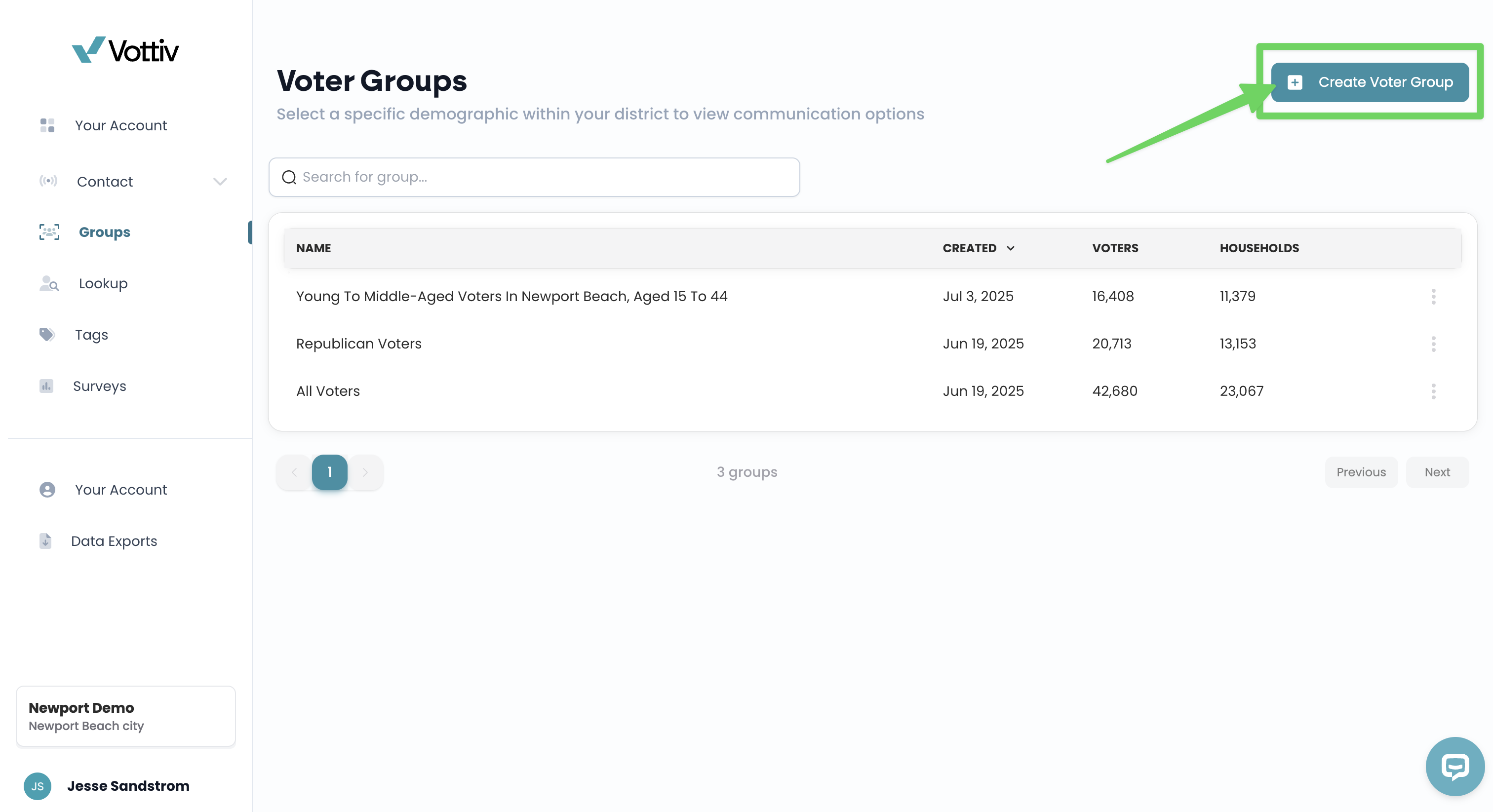
From the Groups tab, you can view all voter groups you’ve created or select Create Voter Group to build a new list. From this 'Groups' tab you can find all the groups you have created, and select 'create voter group' to create a new group. For an article on building your first voter group, please click here.
Target by:Party affiliation
Voting history
Age, gender, and demographics
Geographic boundaries (districts, counties, precincts)
Has Notes (filter by voters who have existing notes)
Custom Vottiv tags and scoring models
Dozens of other demographics and models
📥 Download Your Lists
Export your voter lists in multiple file formats depending on the use of the file (Mail File, texting file, digital ads, etc) for a small modeling and export fee — ideal for use in other platforms or custom analysis.
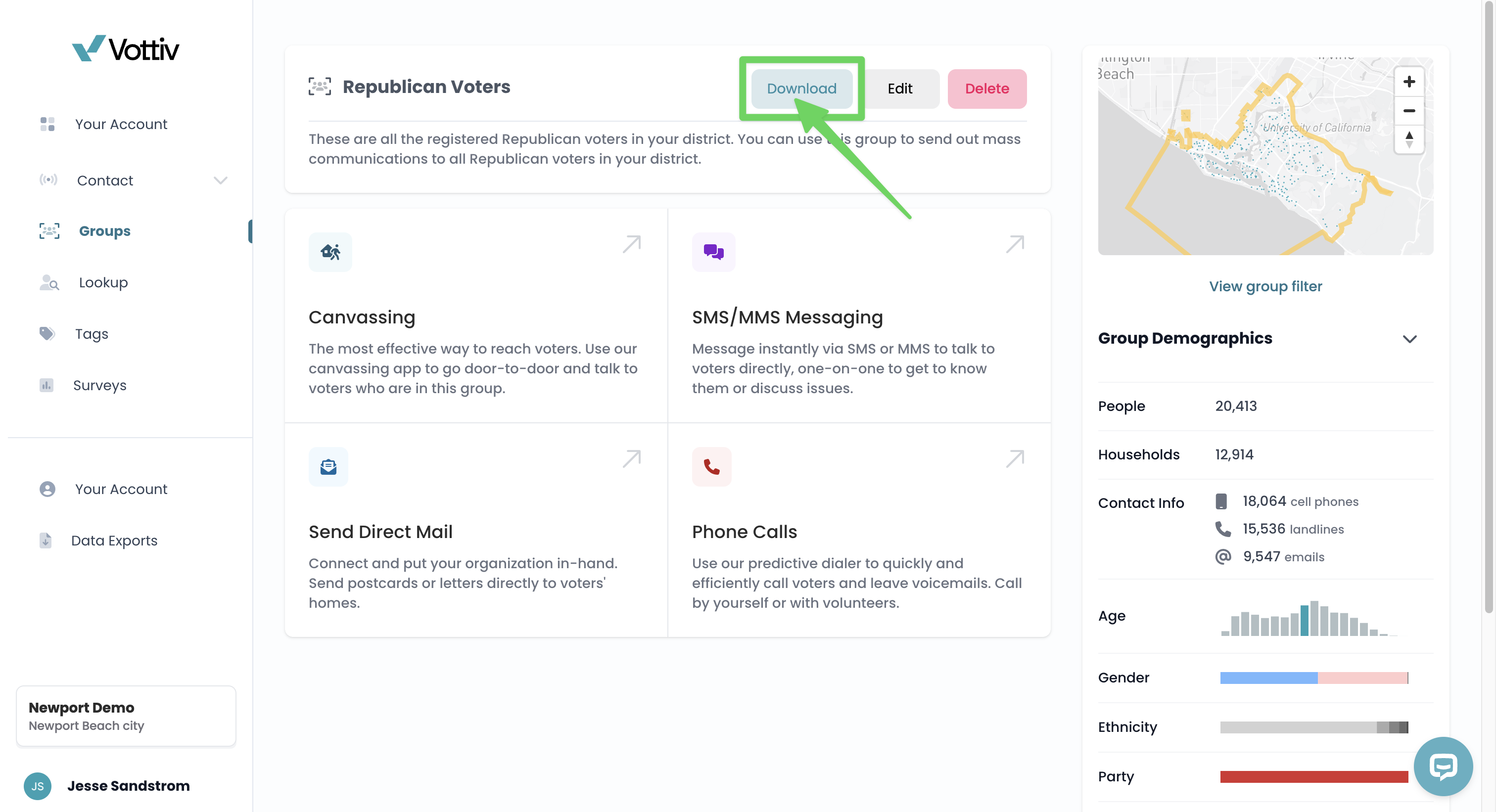
Once you have created a voter group, you do have the ability to download the voter group, by clicking into the group and then selecting the download button at the top.
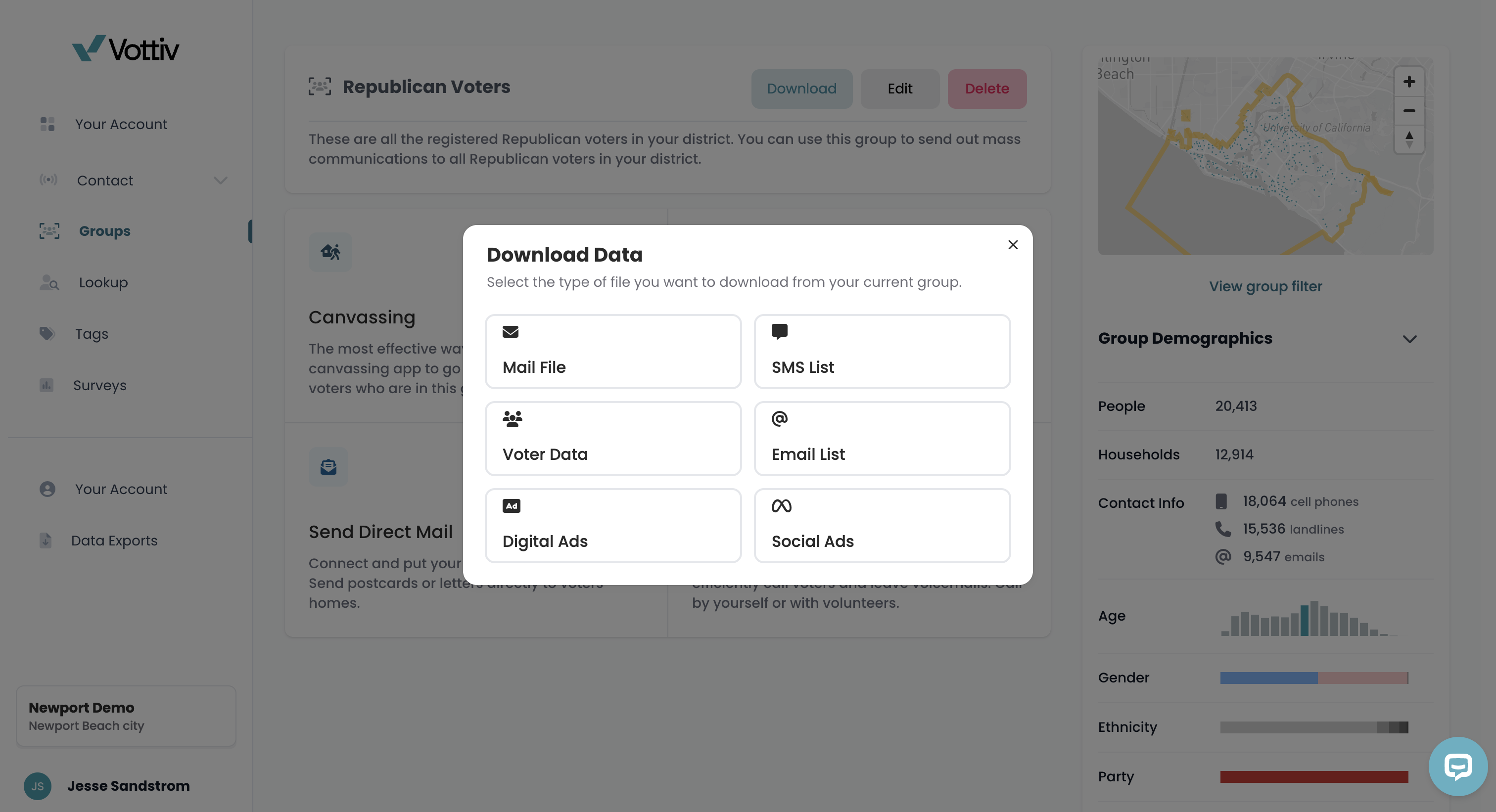
Vottiv will give you the option of what kind of file you would like to export. We have all the different formats for easy transfer to other platforms/uses.
📊 Use for Research
Even if you’re not actively contacting voters, the Data Center is perfect for understanding district trends, tracking voter behavior, and preparing for campaign outreach.
Pricing Options
Data Center access starts at just $20/month for small districts and scales based on the number of registered voters. Our dynamic pricing ensures fair access no matter the size of your race or region.
You can cancel anytime or upgrade as your campaign grows.
Upgrade Instantly When You're Ready
Whenever you’re ready to begin contacting voters — through canvassing, texting, postcards, or calls — you can instantly upgrade your account with the Voter Contact Bundle. No delays. No onboarding bottlenecks. Just add it and go.
Getting Started
Choose your district and activate Data Center access
Start filtering, researching, or exporting voter data in seconds
Was this article helpful?