

Data Center
Building Your First Voter Group
Create dynamic, targeted, and real-time lists in seconds.
What Is a Voter Group?
A Voter Group (sometimes called a voter universe or voter list) is a saved segment of voters based on the filters you choose — like party, voting history, location, and more. These groups power all your outreach tools in Vottiv.
Whether you're planning a door-knocking campaign, launching a texting campaign, or analyzing voter trends, everything starts here.
What Makes Vottiv’s Voter Group Builder so Good?
Vottiv’s group builder is the fastest and most intuitive in the world — built specifically for campaigns that need real-time results, not clunky spreadsheets.
Here’s what makes it stand out:
⚡ Real-Time Results
Your voter count updates live as you adjust filters — no “Apply” buttons or refresh delays.
🔍 Extended Demographics
On-Demand Instantly view stats on age, gender, party registration, voting history, and more. Want to share it? Print a clean, ready-to-go PDF summary of your group.
🔗 Fully Integrated with the RNC
Our data comes straight from Data Trust, the voter file provider trusted by the Republican National Committee — the most accurate and up-to-date data in the country.
🔄 Dynamic & Self-Updating
Because your groups are tied directly to Vottiv’s voter contact tools, they automatically update as new data comes in — either from the RNC or from your own outreach (e.g., canvassing results, survey responses, etc.).
That means your lists are never stale, and your targeting stays precise.
Step-by-Step: Building Your First Group
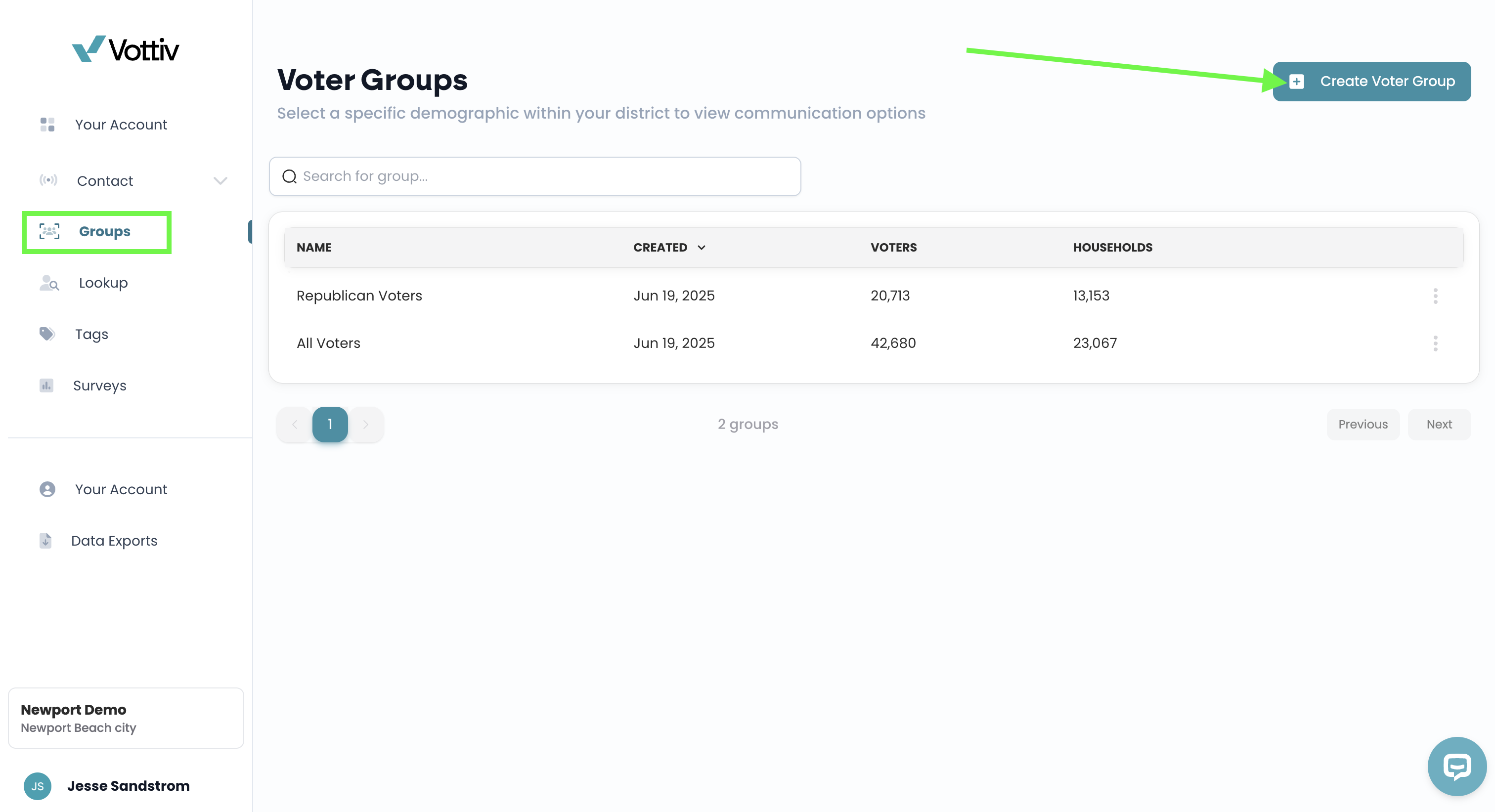
Go to the Voter Data Center From your dashboard, click into the Data Center and select “Create Voter Group.”
Add Your Filters
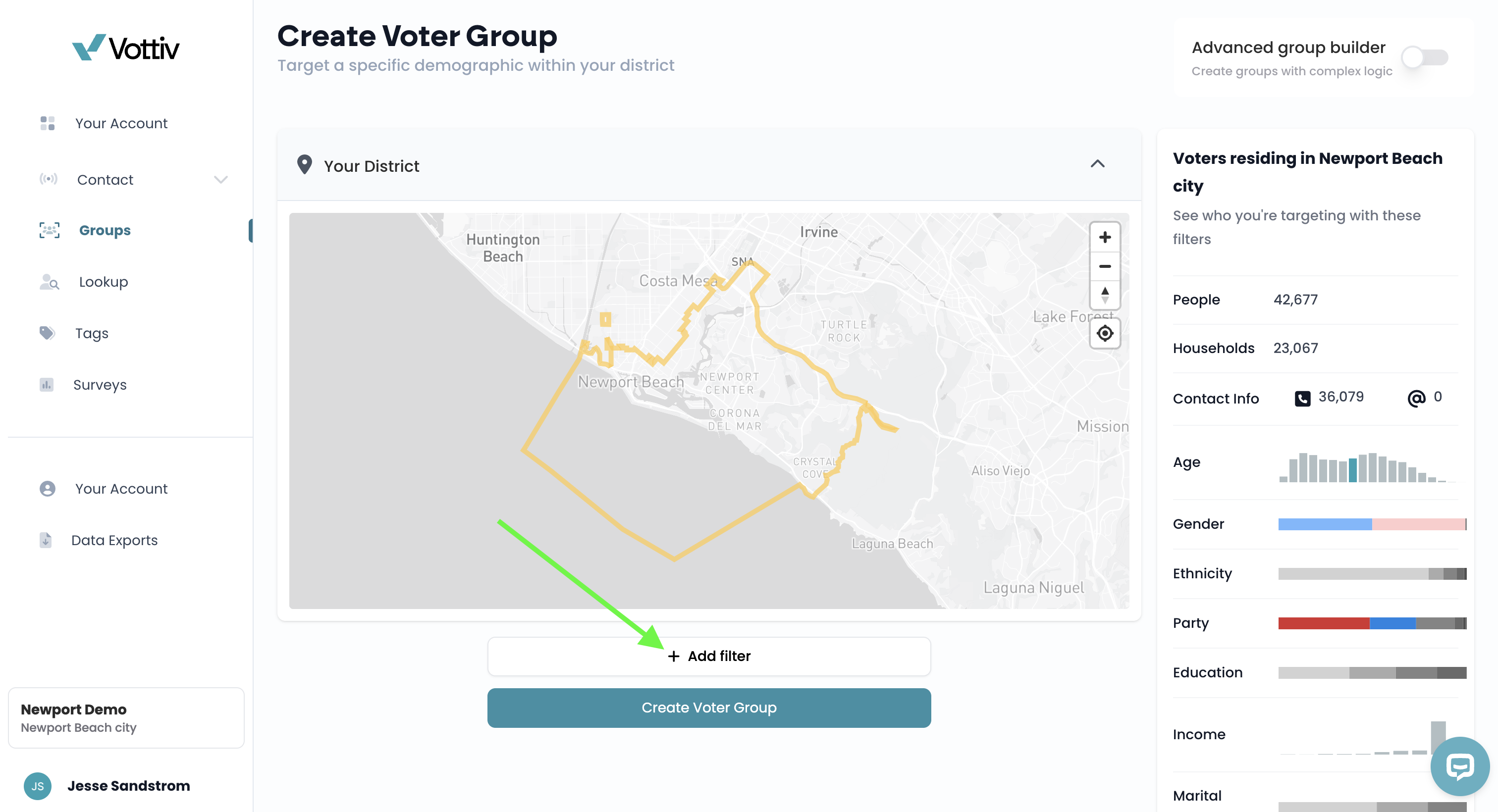
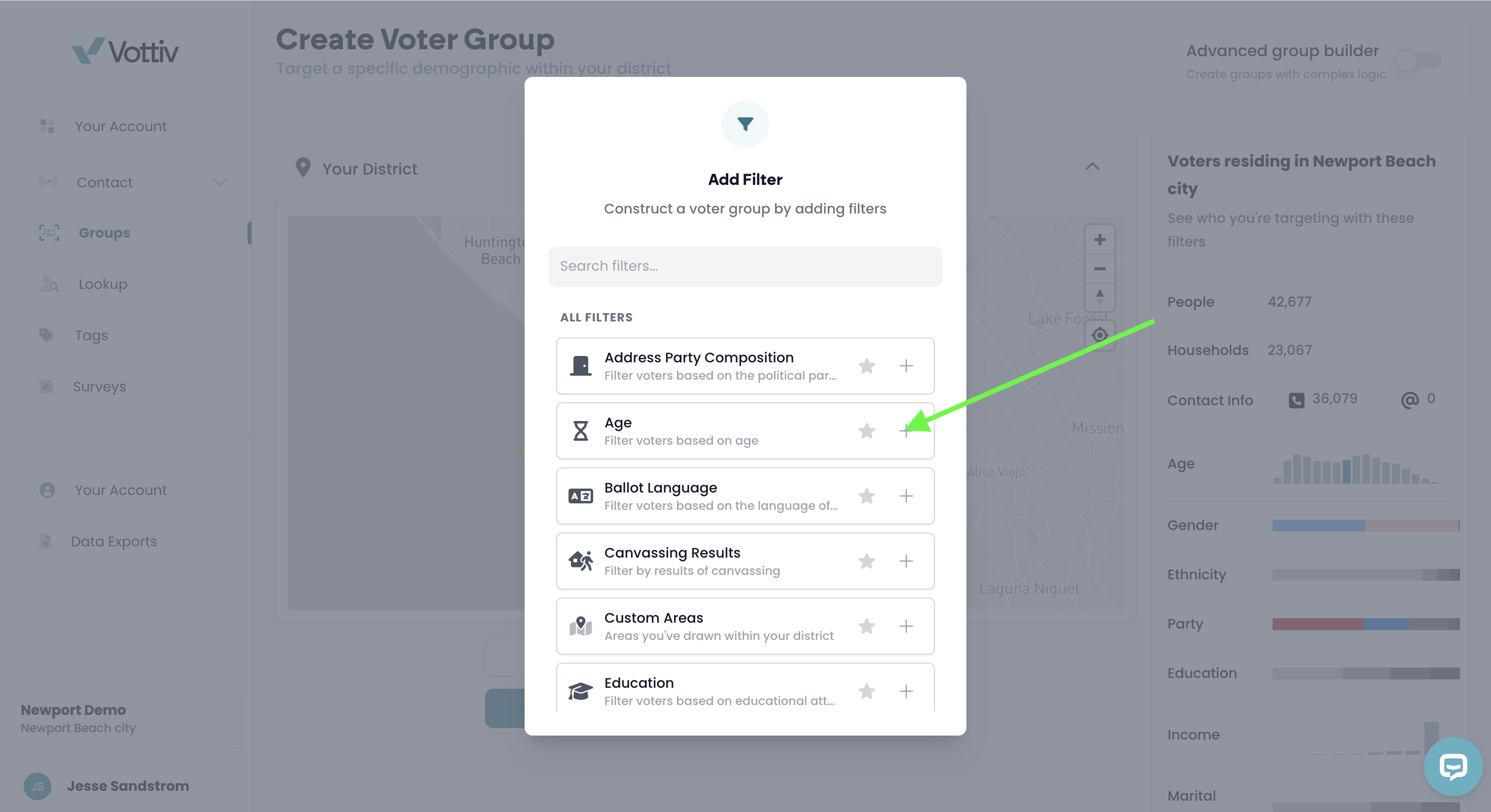
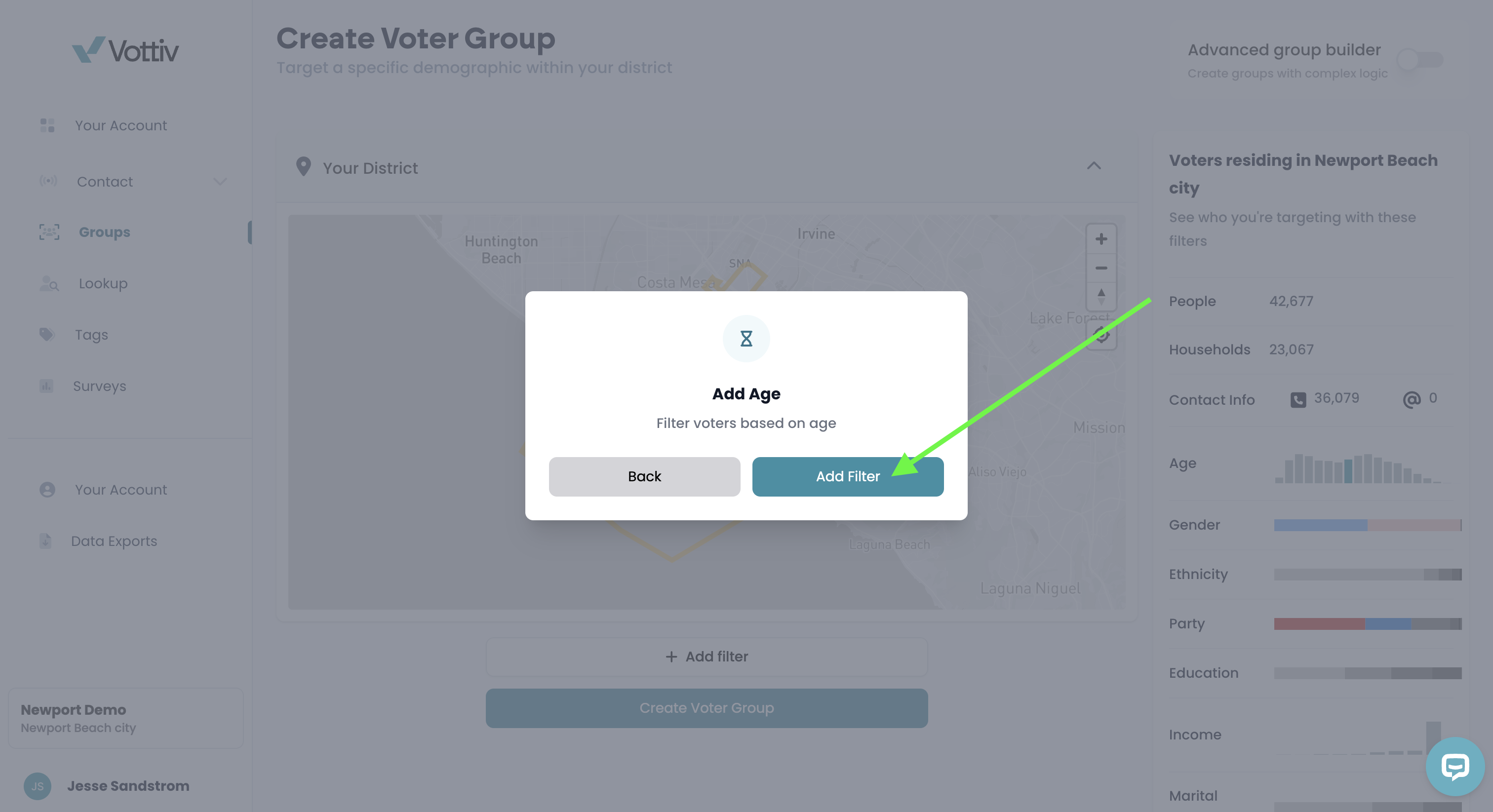
You will now select "+ Add filter" and will be able to choose from dozens of filter options like:
Party affiliation
Voting frequency
Age and gender
Geography (county, precinct, custom map)
Has Notes (find voters your team has added notes to)
Tags, models, and more
Watch the voter count update live as you build.
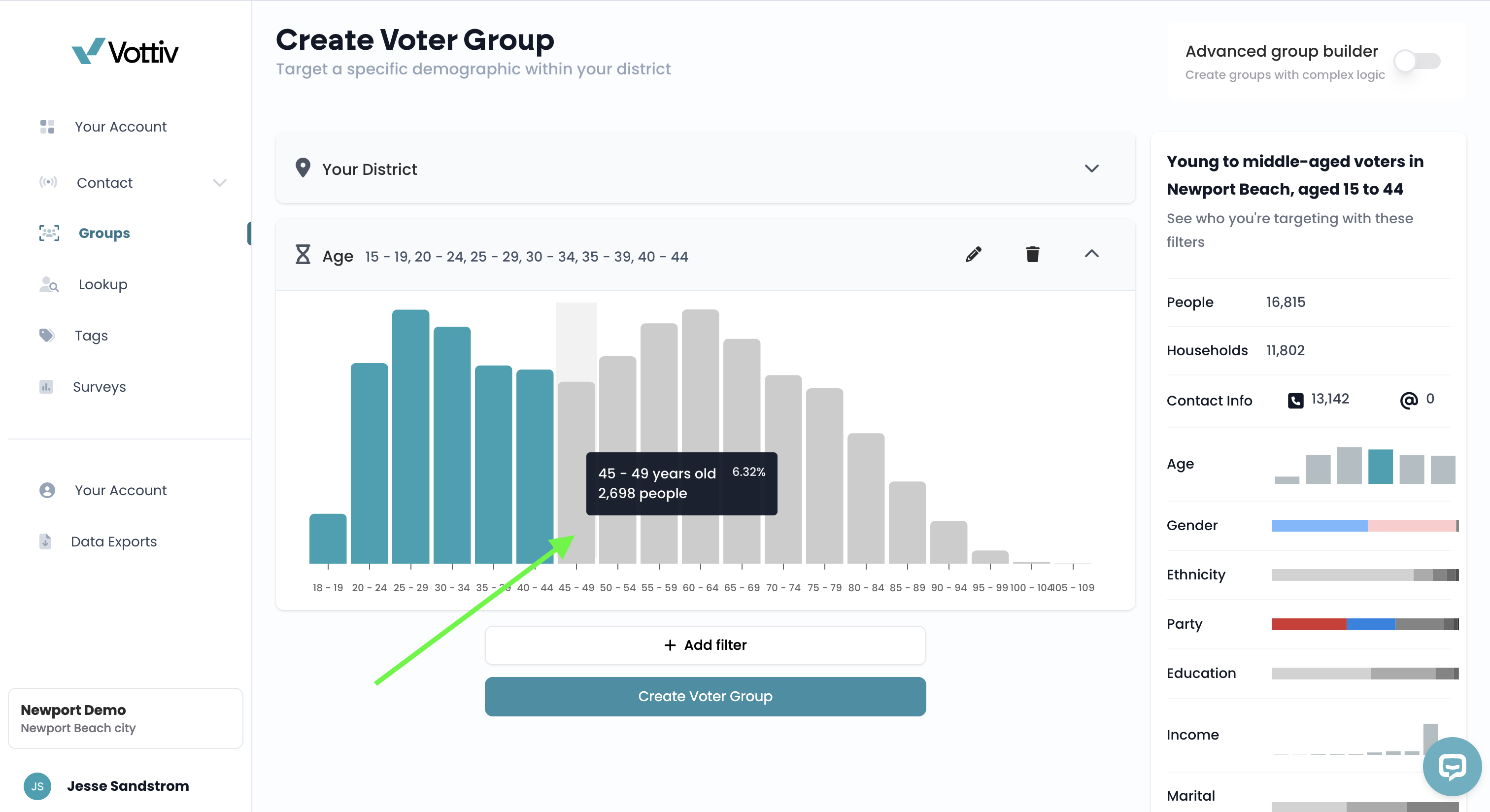
View Demographics
Once you’ve applied filters, on the right side of the screen you can select "View extended demographics" to see a breakdown of your group — helpful for refining your targeting and understanding the electorate.
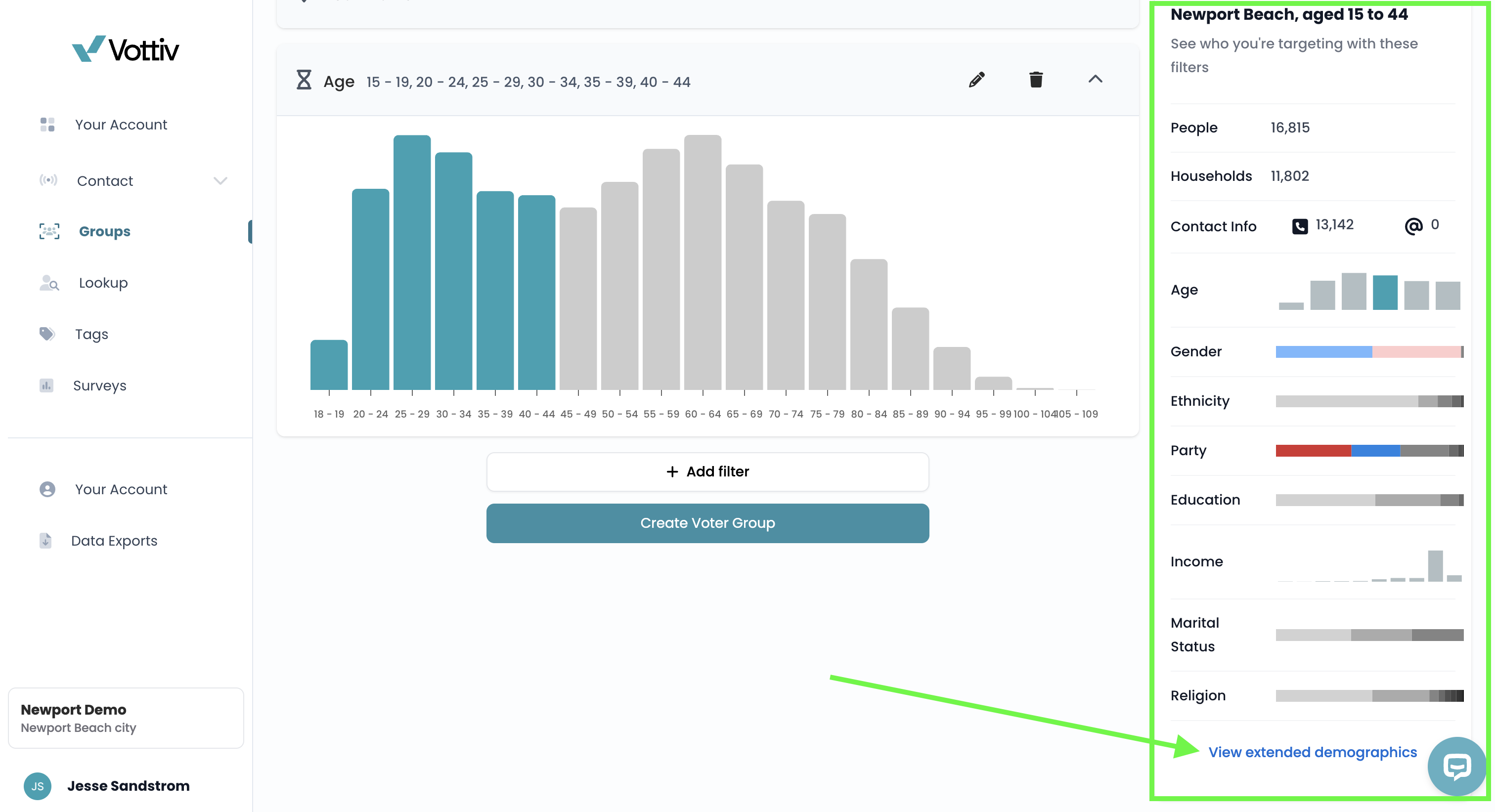
Click View Extended Demographics 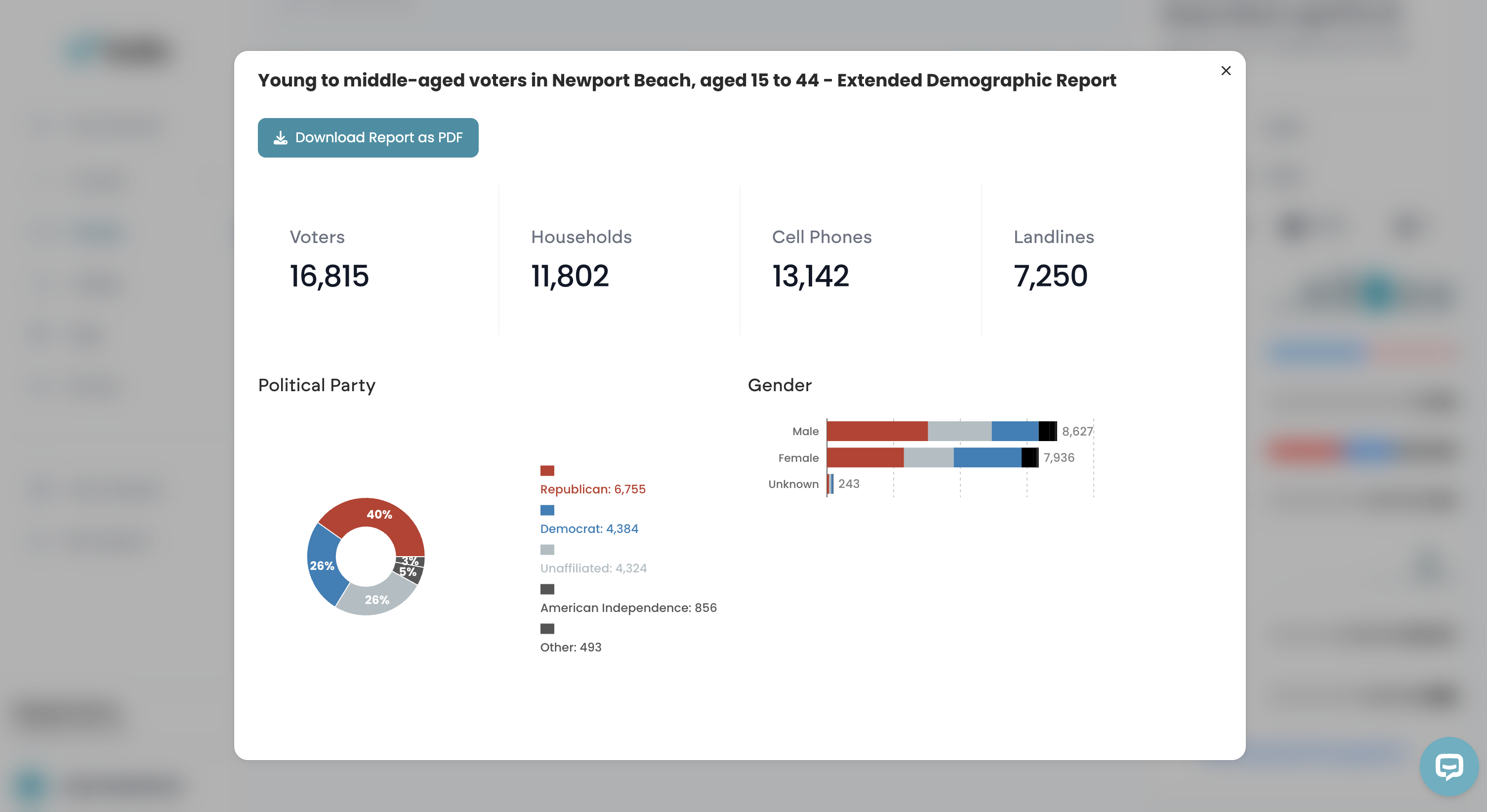
This pop-up window will show you the extended demographics and allow you to download the report Name & Save Your Group
When you are done filtering the group and have your targeted voter list, select "Create Voter Group". Give your group a name (like “Likely GOP Primary Voters”) and hit Done. That group is now available across Vottiv’s tools.
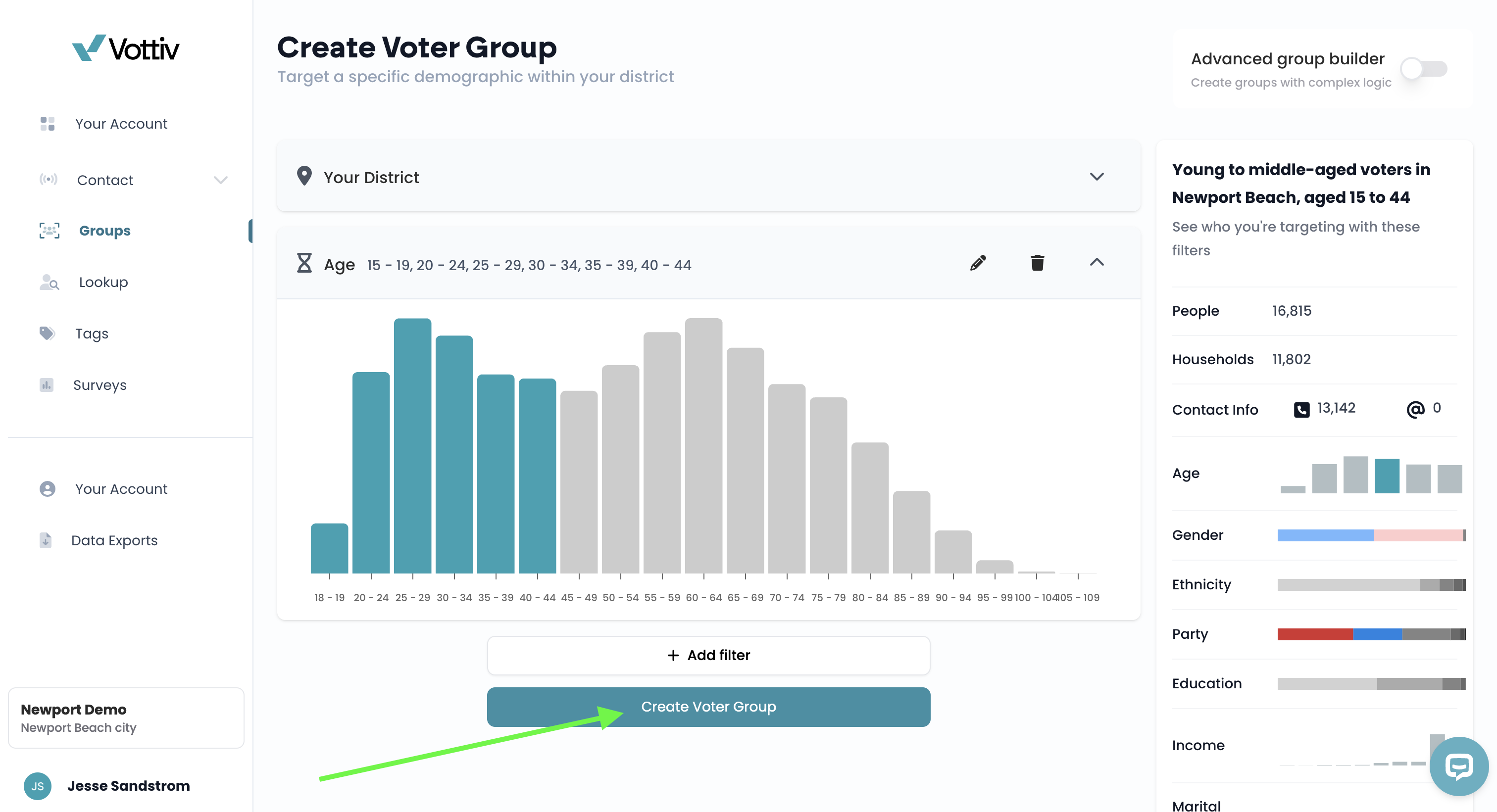
Click Create Voter Group to name and save your created group 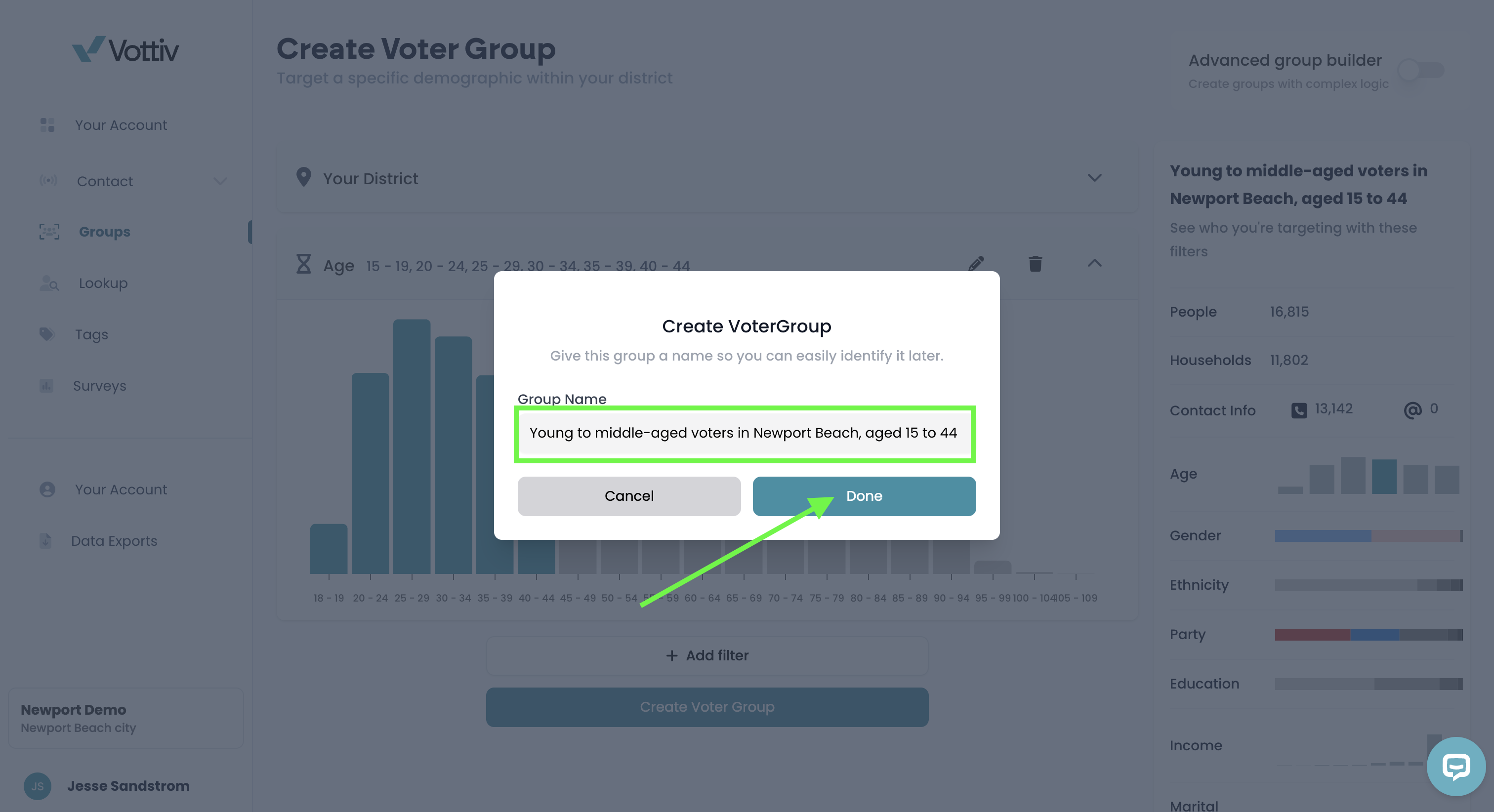
After you've named your voter group, hit save to create the group Print or Export (Optional)
Print a PDF overview of the group for internal use or team briefings.
If you have the Data Export add-on, you can also download the full voter list.
Exporting Your Voter Group
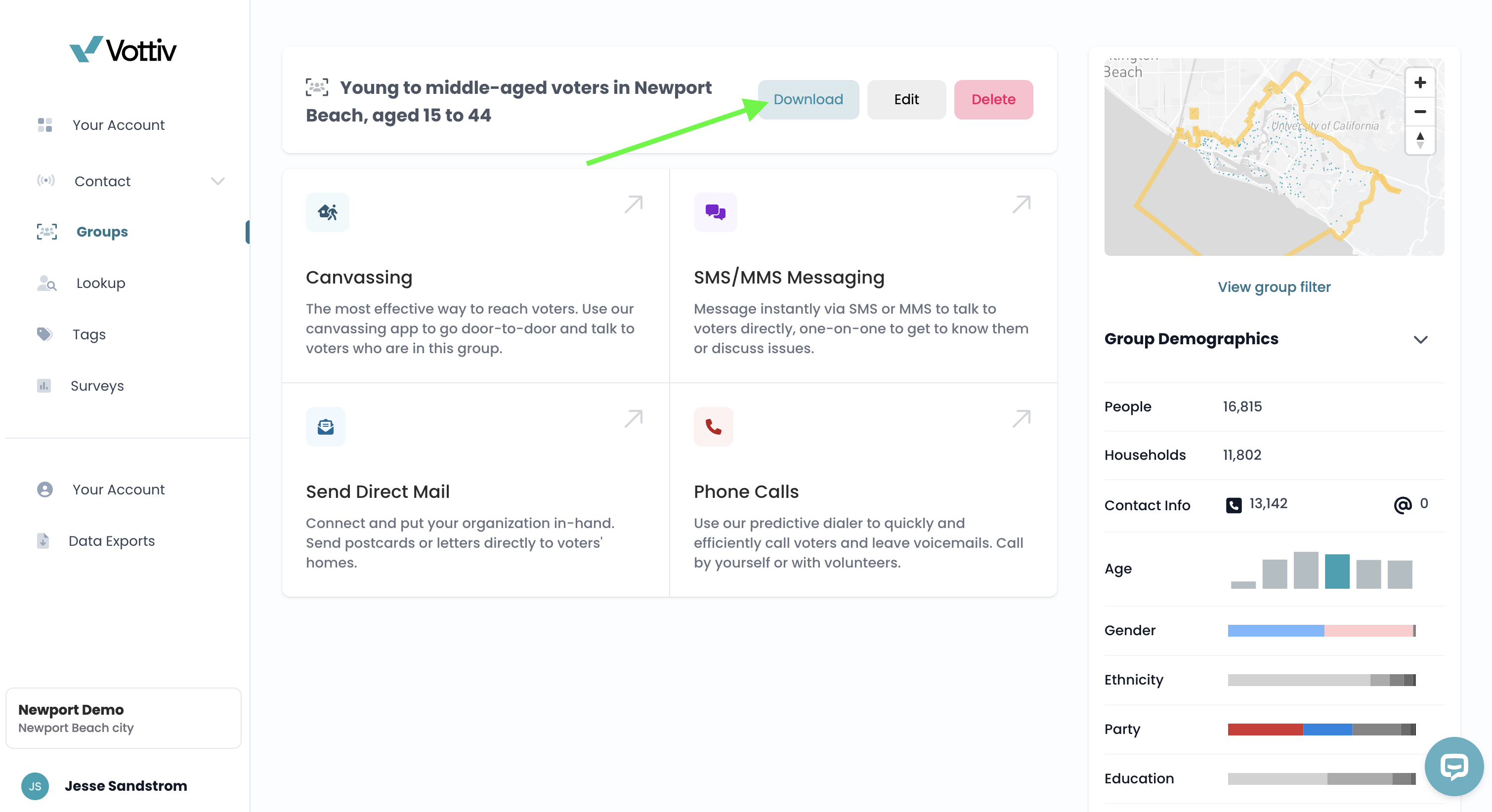
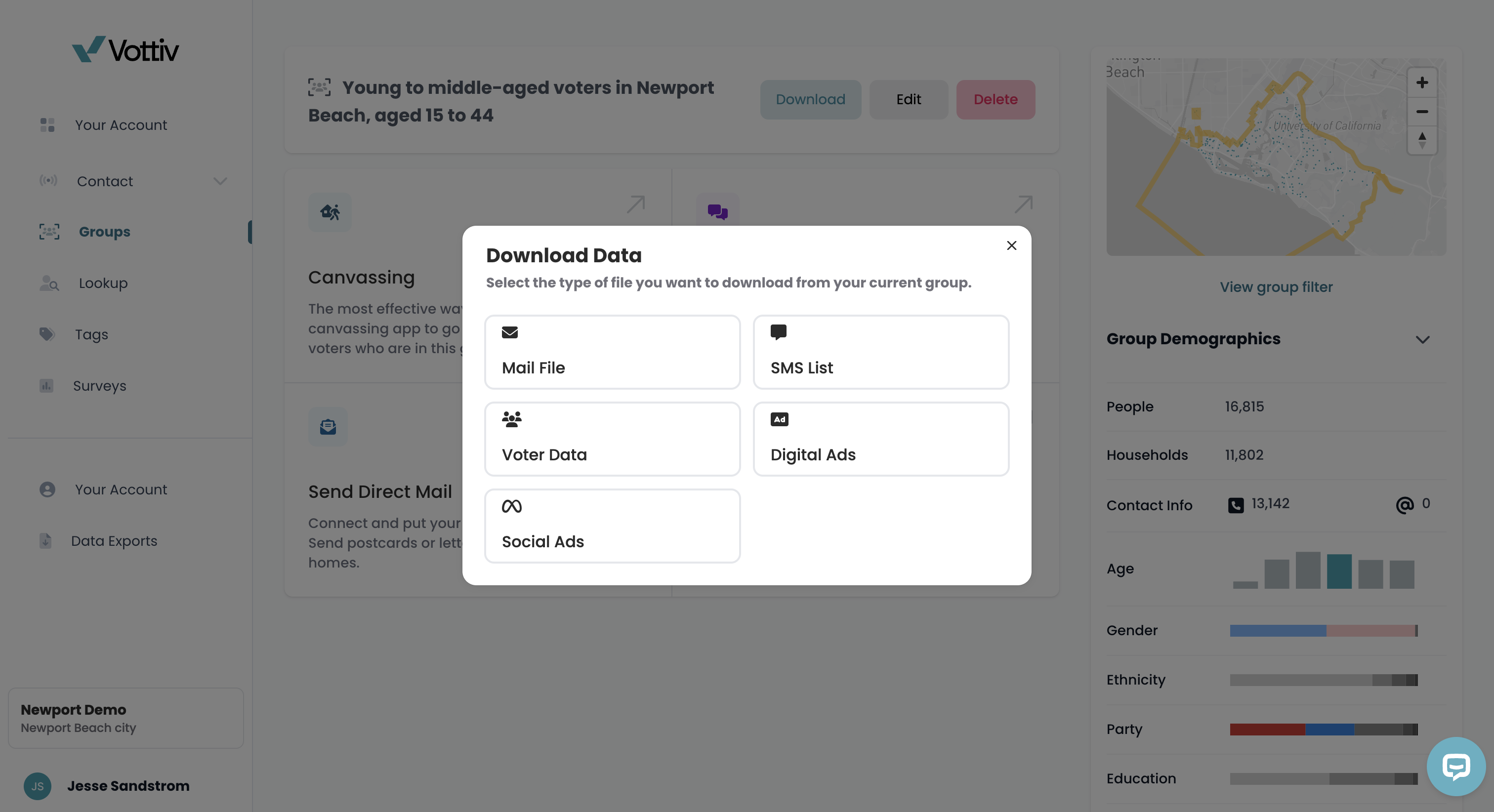
Once you've built and saved your voter group, you can download it in multiple formats depending on how you plan to use the data. Vottiv makes it easy to get the file you need for any kind of outreach:
Available formats include:
🗂️ Full Voter File (raw data export)
📱 SMS File (text-ready format)
📨 Mail File (cleaned for print mail houses)
💻 Digital Ads File (for uploading to ad platforms)
📣 Social Ads File (custom audiences for Facebook, Instagram, etc.)
➕ And more depending on your needs
💡 These exports are available for a very small modeling and format prep fee — and you'll always see the cost before confirming.
Vottiv does not charge for the data itself. The fee is for data modeling and file formatting services provided by Vottiv.
Archiving a Voter Group
When a voter group is no longer in active use, you can archive it to hide it from your main list without deleting any data. Archived groups can be restored later if you need them again.
Restoring an Archived Voter Group
To return an archived group to your active groups:
Open the Groups page and turn on Show archived.
Either choose Restore group from the group's action menu, or open the archived group and click Restore.
Confirm the restoration. If you restored from the group page, you will remain on that page and the group will become active again.
Restoring a group does not change its filters or data. It simply returns the group to your active groups list.
Before You Archive: Close Out Active Outreach
A voter group cannot be archived while it still has active outreach attached to it. Vottiv will block the archive if the group has either of the following:
Any active (unarchived) canvasses
Any active (unarchived) phone banking campaigns
If you try to archive a group that still has active outreach, you’ll see an error message like:
“Cannot archive group while it has active canvasses or phone calls. Archive those first.”
This safeguard exists because groups are usually the source audience for canvassing and phone banking. Archiving a group while active outreach still depends on it can create confusion about whether that outreach is still usable or supported.
How to Resolve It
To archive a group that’s blocked:
Open the group’s related canvasses and archive any that are still active.
Open the group’s related phone banking campaigns and archive any that are still active.
Return to the group and archive it again.
Once all linked outreach has been archived, the group can be archived normally.
Good to Know
Already-archived canvasses and phone banking campaigns do not block group archiving.
Archiving a group does not delete any data — it only hides the group from your active list.
This only affects archiving a group. Unarchiving groups, archiving canvasses, and archiving phone banking campaigns are not changed.
Smart Uses for Voter Groups
Create a canvass for field efforts
Build a texting list for persuasion or GOTV
Segment donor prospects based on past votes and demographics
Use saved groups to compare trends across election cycles
Pro Tip: Let Vottiv Keep Your Lists Fresh
Because your Voter Groups are tied to both the RNC feed and your campaign’s contact history, they constantly refresh behind the scenes. That means:
New voters get added automatically
Bad or outdated data gets cleaned out
Engagement history helps re-target or exclude voters as needed
No more exporting static CSVs that go stale the moment you hit download.
Video Tutorial
Was this article helpful?