

Data Center
Exporting Voter Groups from Vottiv
Use your lists anywhere — from Google Sheets to mail houses.
Vottiv gives you the power to build highly targeted voter groups — and then take those lists with you. Whether you’re running a digital ad campaign, sending postcards through a mail house, or just organizing your data in Google Sheets, exporting is fast and easy.
This guide walks you through how to export a voter group and what to expect.
Step-by-Step: How to Export a Voter Group
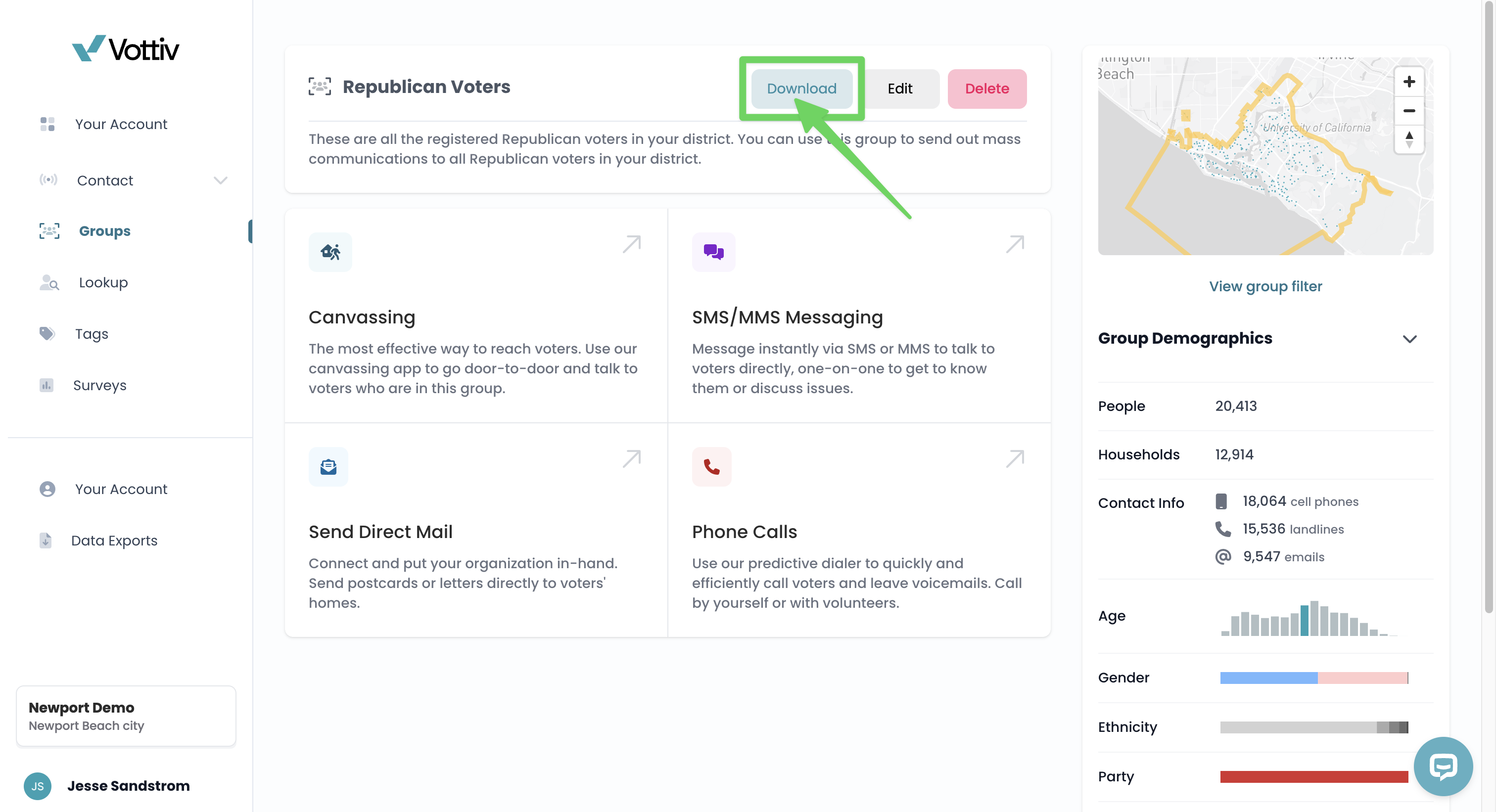
Go to the Groups tab
Click into the group you'd like to export
Click the Download button at the top of the group page
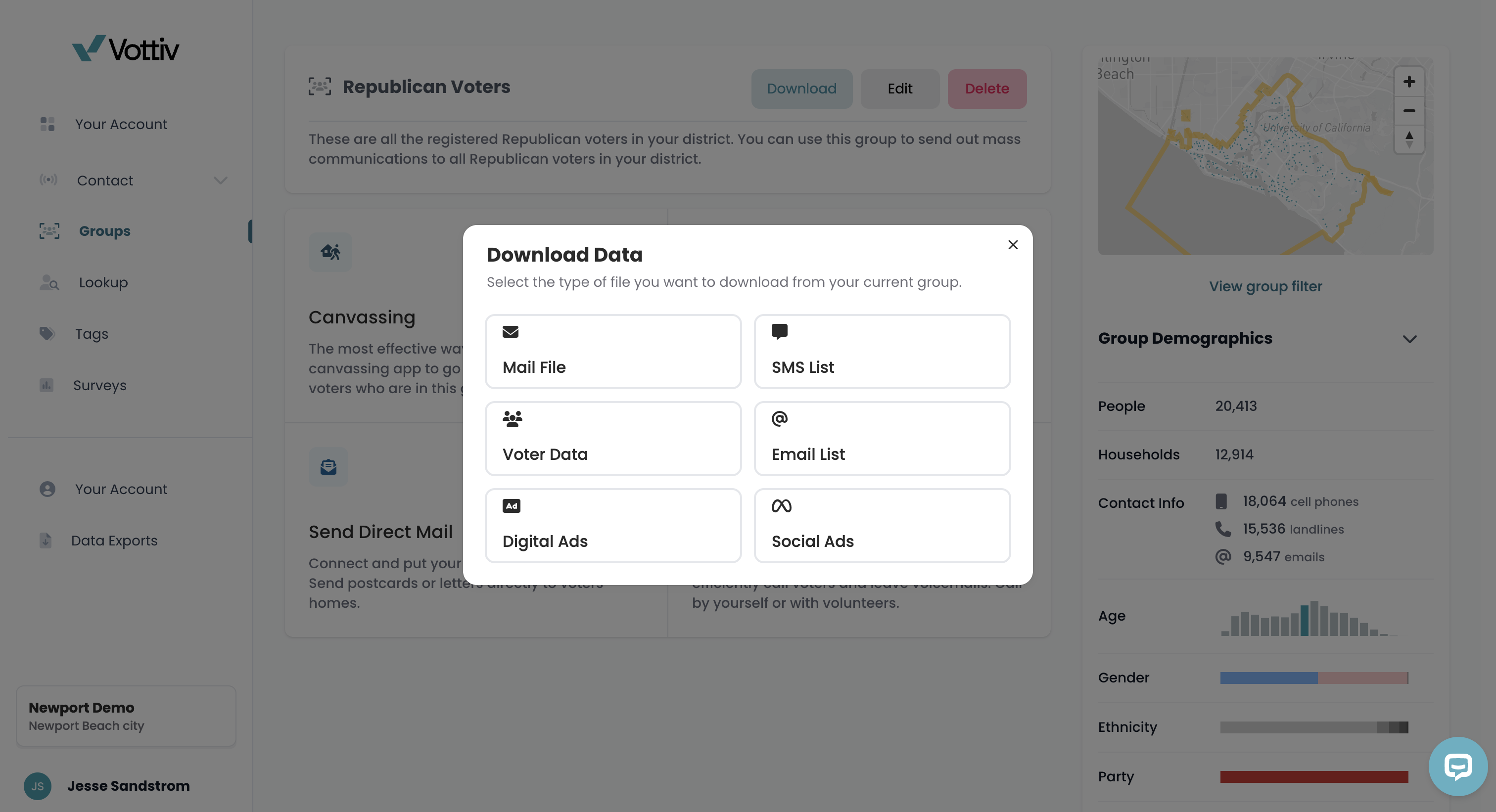
Choose your desired file format:
📨 Mail File (for printing/postcard mail houses)
📱 SMS List
🧾 Voter Data (full file)
📧 Email List
💻 Digital Ads
📣 Social Ads
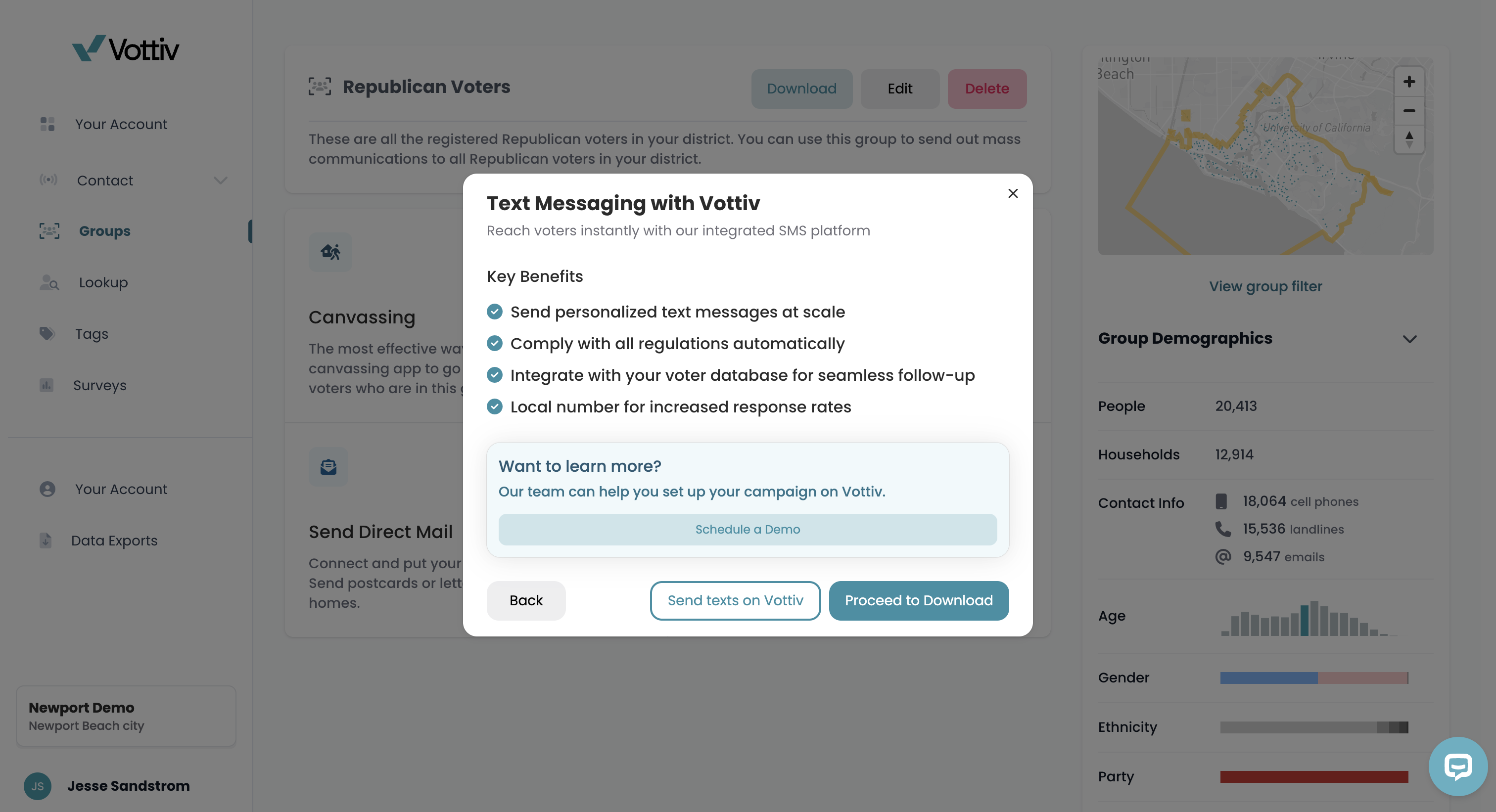
Depending on your selection, you may see a preview screen or a quick overview of benefits of using Vottiv's tools. For SMS, you’ll see a reminder about compliance, carrier regulations, and integration options.
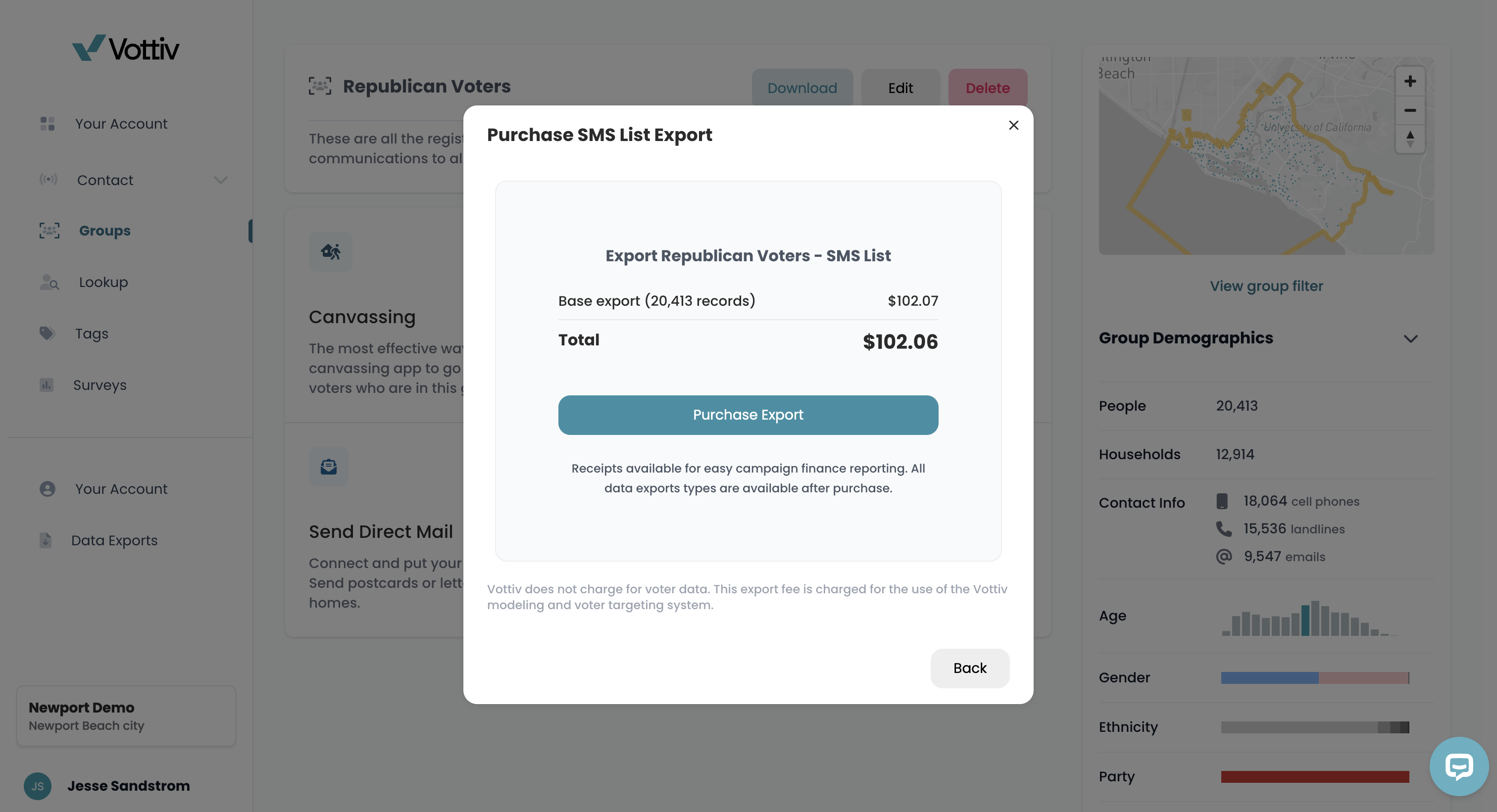
Review the pricing breakdown. Before checkout, you will see exactly what you are paying for:
New records: Priced as usual
Already purchased records: Free
Click Purchase Export to complete the download.
Lastly, navigate to the 'Data Exports' tab on the left to access all your downloads.
The Voter Data (full file) export includes Registration Address Source and Mailing Address Source columns. Campaign-entered means the address is on a voter record added through your campaign's Add Voter Data import. Voter-data provider means the address is on a record supplied by your voter-data provider. A source cell is blank when the address is missing or the record's source is unknown. Vottiv does not append addresses. In Voter Lookup, the voter profile shows Campaign-entered beside an address when it applies; provider addresses have no profile label.
Checking Export Progress
Open Data Exports to check your file. The percentage shows how much of the file Vottiv has prepared. It does not show the progress of a download to your computer. Large exports can take longer to prepare. You can leave the page and return later.
When the status is Ready, select Download to save the file or Share to create a share link.
If an Export Fails
A group export that reports an error shows Failed. Select Retry export to start it again with the saved file format and options. The retry uses the group’s current data and filters. Wait for the file to show Ready before downloading it.
If the retry cannot start, an error message appears below the button. If it fails again, or an older export remains at the same percentage for a long time, contact Vottiv support with the group name, file type, and approximate request time.
Pay Once Per Voter Pricing
We've updated our pricing model so you only pay once for each voter and email address—no matter how many groups or exports you download.
Key Benefits
One-Time Purchase Per Record: Once you purchase a voter's data, you won't be charged again for that voter in future exports.
Works Across All Groups: This applies to your entire account. If you buy a voter in one group, they are free in any other group.
Free Re-Downloads: Re-download any previously purchased data at no cost within your re-download window (365 days by default).
Example
You purchased a group of 50,000 voters last month. Today you create a new group with 45,000 voters, and 30,000 of them overlap with your previous purchase.
Before: You'd pay for all 45,000 voters again.
Now: You only pay for 15,000 new voters. The 30,000 you already purchased are included free.
💡 Why Is There a Fee?
Vottiv does not charge for the voter data itself. The export fee covers the cost of modeling and formatting your file.
With the Pay Once Per Voter model, you only pay this fee the first time you export a specific record. Subsequent exports of that same record are free because you have already paid for the modeling service for that individual.
You’ll receive a downloadable file and a receipt for easy campaign finance reporting.
*Important note, you'll have access to the voter group and all the file formats for unlimited downloads after the initial file purchase of the group.
**You are able to download the entire voter file (All Voters) for no fee
Important Note on Email Exports
The Email List export provides voter email addresses that you have downloaded. However, Vottiv does not offer email sending services. The Vottiv system is not designed to send emails to voters. You will need to use a separate email service provider or platform for any email outreach campaigns.
Common Export Use-Cases
📬 Postcard campaigns through mail vendors
📱 Texting campaigns on outside platforms
📈 Uploading custom audiences to Facebook or Google Ads
📧 Email campaigns using a third-party email service provider
📊 Analyzing your list in Google Sheets or Excel
🤝 Sharing with partners or consultants securely
Once downloaded, your list is 100% portable and ready to plug in wherever your campaign needs it.
Pro Tip
For the best results:
Name your voter groups clearly before export
Use filters and tags to make sure your group includes the exact audience you want
Use the Mail File option for direct mail vendors
Use Voter Data or SMS List if you're importing into third-party CRMs or texting tools
Use Email List when you need addresses for a separate email marketing platform
Was this article helpful?