

Registering for 10DLC: Required SMS Compliance for Campaigns
Everything you need to get approved for compliant political texting.
Before your campaign can begin texting voters through Vottiv, you’ll need to register your organization for 10DLC (10-Digit Long Code) texting, a requirement enforced by U.S. phone carriers.
This process helps ensure your campaign is verified, compliant, and protected from being flagged or blocked as spam.
Registration Fee
As part of the 10DLC registration process, there is a $200 one-time registration fee.
This fee is charged by the telecom carriers as part of 10DLC registration and is not a Vottiv-imposed fee. It is a pass-through cost from telecom carriers and the Campaign Registry, which require campaigns to register their organization before sending political SMS messages.
The registration fee covers:
Carrier compliance registration
Campaign verification through the Campaign Registry
Processing required by mobile carriers to approve political texting
You pay this fee one time for your organization. It is not charged for each user. Account credits do not pay this fee. Credits pay for texts and calls.
If your campaign already has a valid Campaign Verify token, email it to [email protected] before you pay. A valid token takes $95 off the fee, so you pay $105. You must still complete the registration form.
Once your campaign is registered and approved, you’ll be able to send texts through Vottiv as normal. Standard per-message SMS charges will still apply when messages are sent.
What Is 10DLC?
10DLC is the system U.S. phone carriers use to verify that SMS traffic is coming from legitimate sources. For political campaigns, this means you must register your organization and campaign message content with the Campaign Registry before sending text messages.
Without registration, your messages are at risk of being delayed, blocked, or marked as spam — and could violate carrier policies.
How to Start the Registration Process
Go to the Text Messaging tab in your Vottiv dashboard
You’ll be prompted to begin registration — click Start Registration
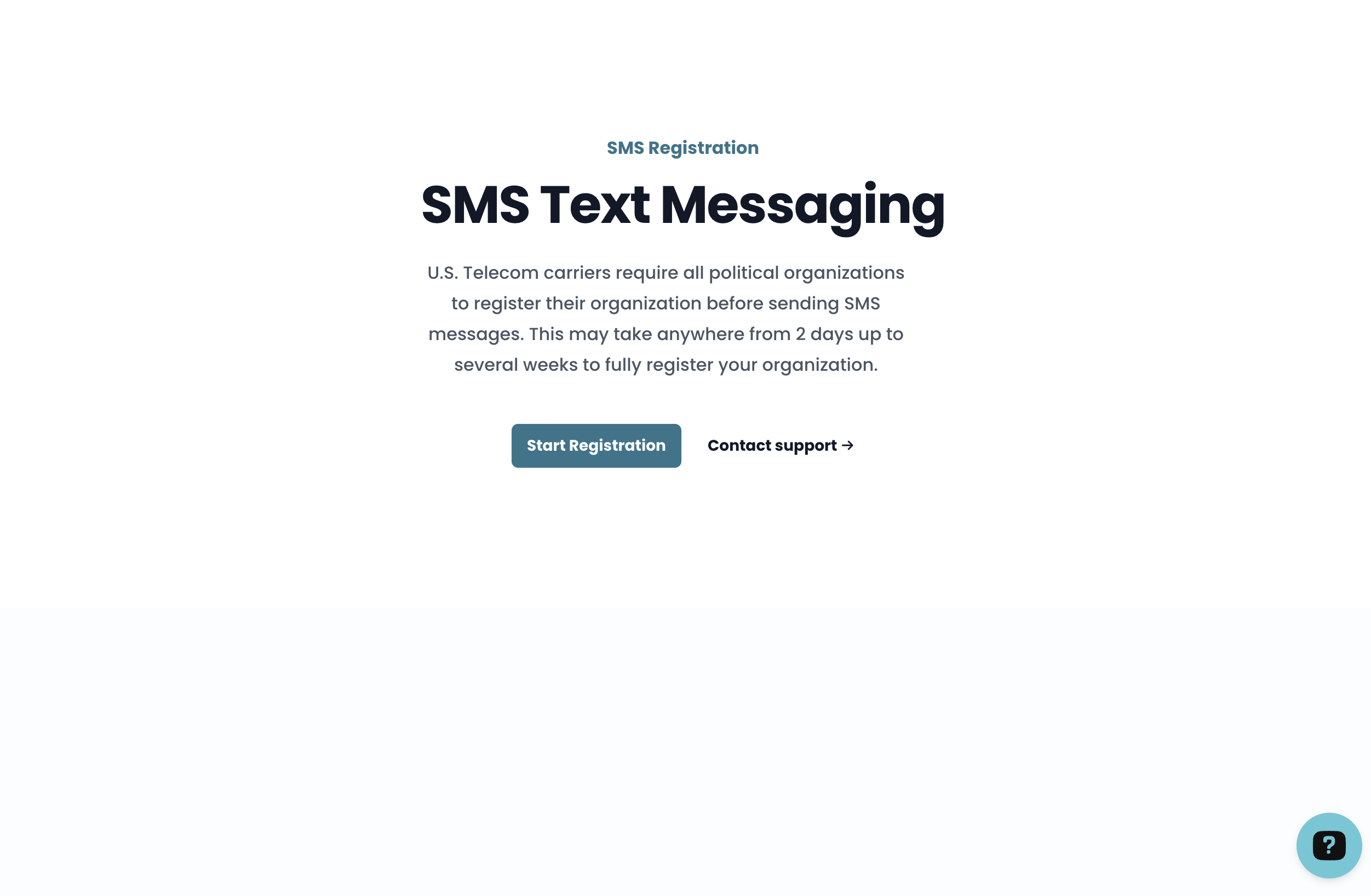
Starting 10DLC Registration: Prompt to Begin SMS Verification When Launching Texting Read the carrier registration information, then select Start Registration. You do not need to accept a processing-time notice.
Select whether your campaign is:
Federal
State or Local
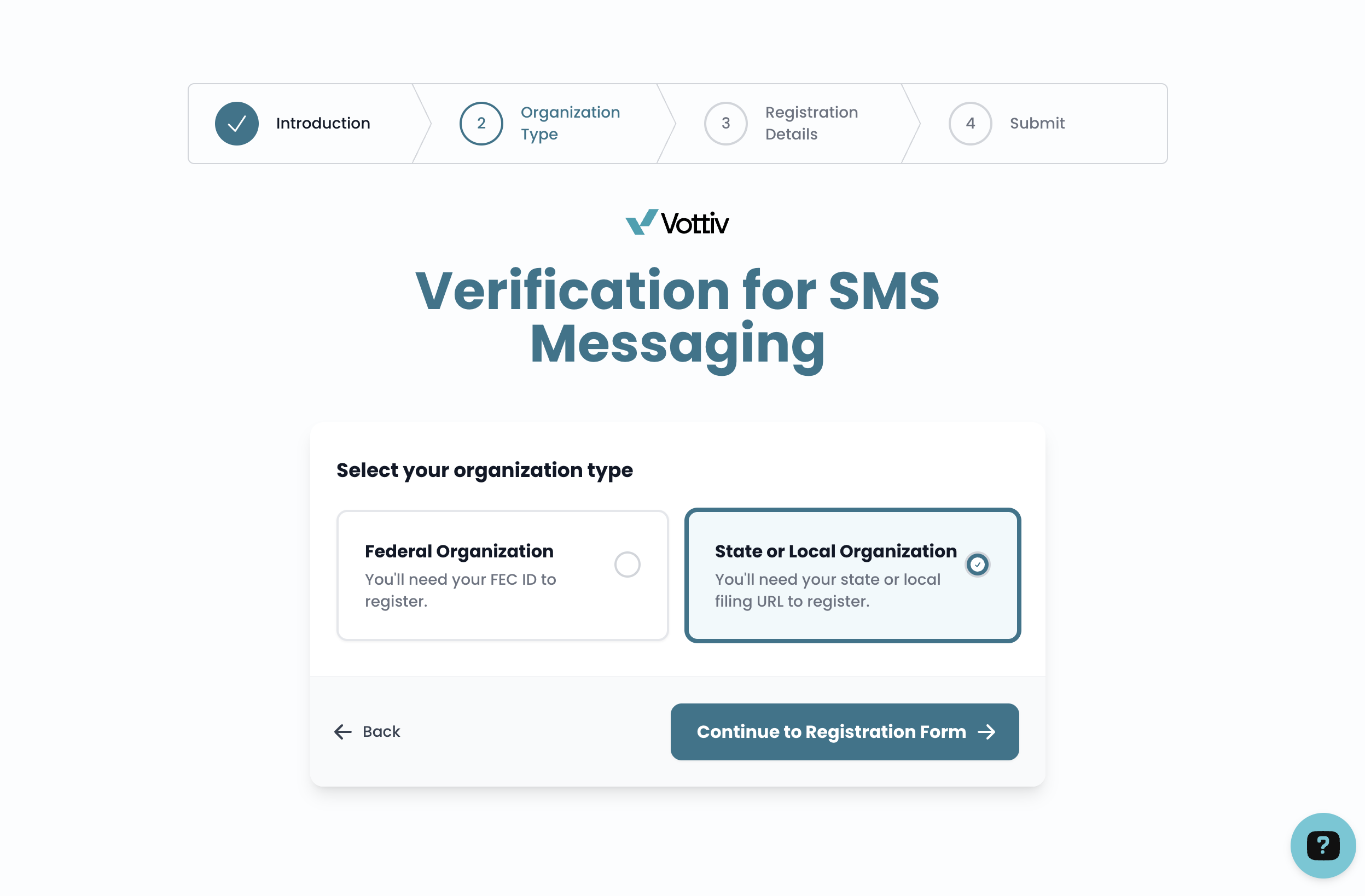
Vottiv will then guide you through the correct form based on your campaign level.
What You’ll Need to Complete Registration
Vottiv handles the submission process for you, but you’ll need to provide the following information:
✅ Required Info:
Campaign name & contact
EIN or FEC ID
Organization type (PAC, candidate committee, etc.)
Website URL
Description of your campaign’s SMS use
Federal campaigns: FEC committee URL
Federal campaigns must enter an FEC committee ID in C00000000 format and a filing record URL that points to the matching committee page on fec.gov, such as https://www.fec.gov/data/committee/C00000000/. Do not use the campaign’s own website, a social media page, or a general FEC search page for this field.
If you paste a committee URL with a lowercase ID or accidentally type the letter O instead of zero in the committee number, Vottiv will clean up the ID when it can. If the URL does not point to a matching FEC committee page, Vottiv will ask you to correct it before registration can be submitted.
📄 Campaign Filing Record
To verify your identity, a campaign filing document is necessary. We cannot accept filing information provided directly by the campaign. It must be verifiable through an official source. Please use one of the following methods:
Option 1: Published IRS Filing
If you have a published IRS filing that lists contact info, submit a State/Local verification request and enterhttps://forms.irs.gov/in the Filing Record URL field. We will locate the form using your EIN.Option 2: Direct from Election Authority
If your filing is not online, ask the election authority to email the document directly to [email protected] and CC [email protected]. Alternatively, provide us with an election authority contact person to verify. The filing must show the campaign name and an email, postal address, or phone number.Option 3: Active Status Confirmation
If no filing document exists, we can accept confirmation of active status and contact info directly from the election authority.
🌐 Website Requirements
To be approved, your campaign website must include:
Privacy Policy
Clearly state that your campaign does not sell user information
Link must be accessible in your footer
SMS Opt-In Language
All pages that collect phone numbers (e.g., Volunteer, Contact) must have a checkbox with:
Message frequency info
Consent language
Opt-out instructions (e.g., “Reply STOP to unsubscribe”)
Help language for more info
Example Disclaimer:
“By checking this box and providing your mobile number, you agree to receive SMS messages from the [your campaign] organization. Message frequency varies. Msg&Data rates may apply. Reply STOP to unsubscribe.”
Complete the Form and Payment
Select Continue to Payment after you finish the registration form. This saves your details. Saving the form alone does not submit your registration for review. Complete the required one-time registration payment, then follow the instructions to submit your registration and view its status.
If the form returns you to the first step after you finish it, open the registration payment page in a new browser tab while signed in to the correct campaign account. If your details were saved, you can continue with payment without entering them again. If the payment page also returns you to the form, contact Vottiv support.
After You Submit
Once you complete and submit the form to Vottiv:
Vottiv reviews your registration and sends it to Campaign Verify.
Campaign Verify sends you a six-digit PIN by the method you chose (email, phone call, text message, or postal mail).
Enter the PIN in Vottiv. Use the link in the Vottiv email Your Campaign Verify PIN is ready to enter, or sign in and open the SMS Registration Status page. You do not need to forward the PIN to us.
We’ll handle submission to the official Campaign Registry for final approval.
For full steps, see SMS Registration and Campaign Verify.
✅ Once complete, you’ll be fully verified and ready to send compliant SMS messages.
Registration Status
Check your registration status in Vottiv. We will email you when your registration is approved and you can start sending texts.
Approval usually takes about 5–7 business days after the Campaign Verify PIN step. Sometimes it takes longer. Vottiv cannot speed up approval.
Need Help?
If you're unsure whether your website meets the requirements or need help updating your privacy policy or opt-in language, Vottiv’s support team is here to help. We’ve walked hundreds of campaigns through this process and can assist with copy, or compliance checks.